How I built Gaia
Our baby tracker started charging, so my wife and I built our own. It went viral, and a lot of you asked how I made the brand. This is how, with the prompt that draws every character and the skill that holds the rest.

Adam Perlis
October 2026 · about 10 minutes
- 5
- weeks, 21 September to 25 October 2026
- 474
- commits, 330 of them written with Claude Code
- 3
- days to a working build on our phones
- 15p
- for twelve new drawings
Most of Gaia was written by Claude Code. What I brought was the reason, the references, and a lot of no.
330 of its 474 commits carry Claude’s name. I made the calls: what it was for, how it should feel, what was wrong, usually in one line from my phone. There’s no build log for this one, which I regret. A few of my messages survive word for word, and they’re quoted below as I typed them, typos fixed. The rest comes from the repo, where every commit says what changed and why. The before-and-after pictures are rebuilt from those commits.
It started with a paywall
My wife and I had a daughter this year, and we tracked everything: feeds, sleep, diapers. Then the app we used started charging, with no free tier left. So we built our own, and named it after her middle name.
By the first evening it held our real history: 4,252 entries, exported from the old app. Every screen after that was designed against real nights, not placeholder data.
Sample it, don’t guess it
A few minutes before the first commit, I screenshotted every screen of the old app. By half past ten the first version had been built from them, colours sampled pixel by pixel: navy ink, cream, and a pastel for every kind of entry. It looked exactly like the app we were leaving.
So I gave it a different reference, a settings screen I’d saved, and by ten past one the system had been rebuilt around that, measured the same way. It came out as a single accent on a warm grey with a whisper of green: 14 to 20% saturation, not the 25% and up that “sage” suggests.
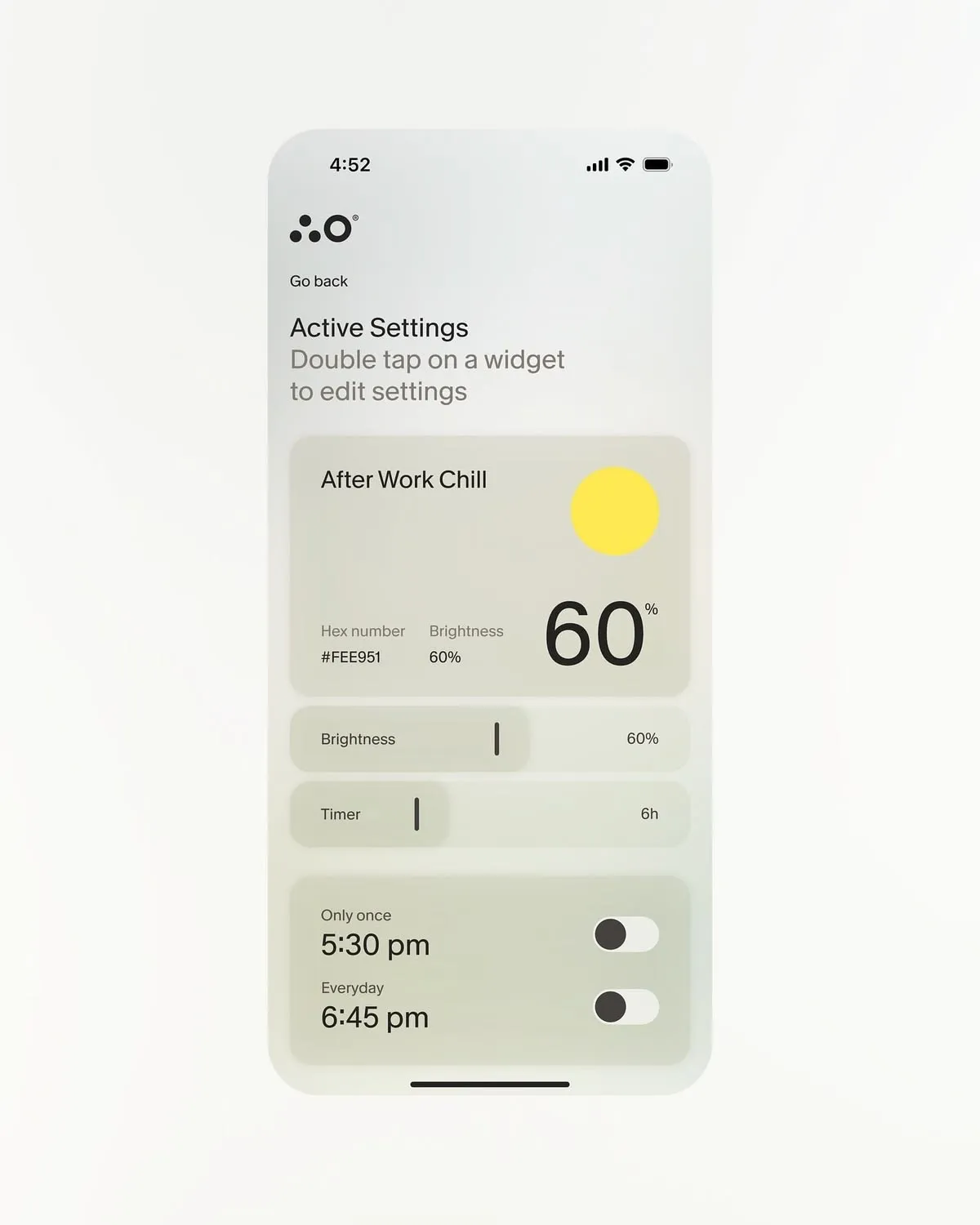
The inks weren’t copied from it. Its own label grey measured 1.99:1 on its card, which fails a contrast check, so every ink was solved against the fill it sits on.
The wordmark took its cue the same way, from another brand’s GAIA logo I’d saved, made for something else entirely. Borrow the feeling, then make it yours.
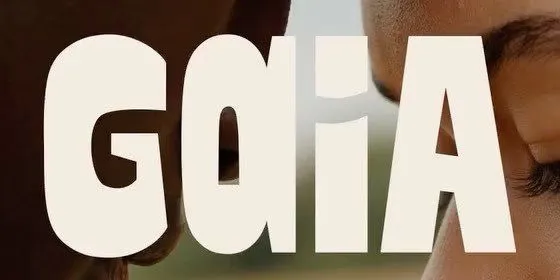
The one I’d saved: Gaia Family ↗, who help people pay for IVF. Tall, heavy, soft at the corners.

Ours: the same weight and softness, rounder, in lower case, and drawn as single strokes so it can write itself on screen.
The wordmark, one note at a time
Their logo was one of three pictures in my very first message, beside the settings screen and a drawing style:
make sure you use this UI as the style of the app, this logo and this illustration style
Claude’s first go typed Gaia in a font. A font couldn’t do it: even Figtree at its heaviest wasn’t heavy enough, and the reference had quirks no typeface has. So it drew the letters instead, and I steered them a line at a time.
The logo has some imperfection and roundness too
make the logo have a lower case a at the end
tighten space between G and a
Drawn by a program, it came out too clean:
Can you make the Gaia logo a bit less perfect shapes
Now nothing in it is level or round. Each letter leans two or three degrees, sits a point off the baseline, and has its own stroke weight. The G is the exception, kept the steadiest because it carries the mark. The spacing took four goes, and ended here:
The letters are all not touching like the GAIA, they all need to touch
Joined, they read as one word instead of four shapes. One notch tighter and the i vanished between the a’s, and it read “Gaa”. Then the G:
For the logo for the G, I think we need to give just a little bit of space under the curl of the G so that we can understand that it’s actually a G.
The G got one more pass, by hand. I took the mark into Figma, tweaked the G myself, and pasted the SVG back into the session. There’s only one copy of the wordmark in Gaia’s code, so that one paste put the new G in the app, the icon, the website and the share card at once.
Here’s every version from that day, rebuilt from Gaia’s git history:
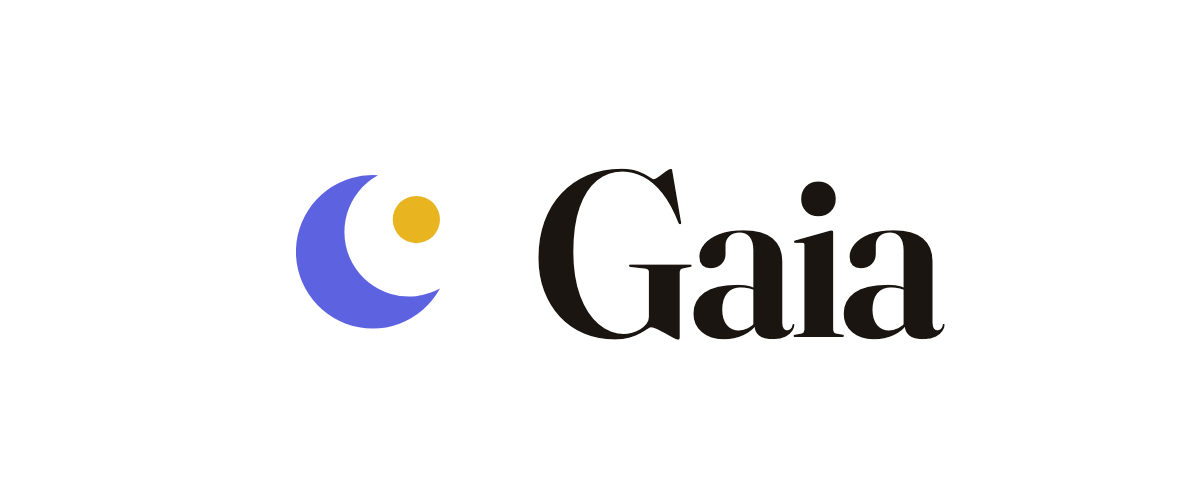
07:26 The first build: a moon, and Gaia set in Fraunces
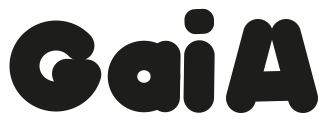
13:08 Drawn, not typed, after the reference. A capital A, like theirs
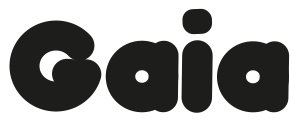
16:23 A lower-case a at the end
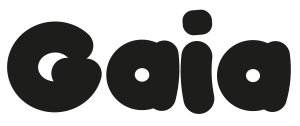
20:31 Less perfect: each letter leans and sits off the line
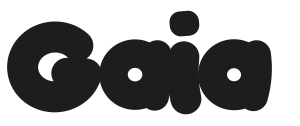
20:39 Every letter touching
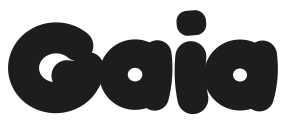
21:00 The G opened up
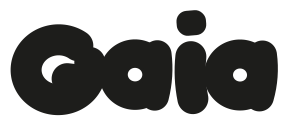
23:24 A gap under the G’s curl

Next day The G I tweaked in Figma. Still the mark
One accent, spent once per screen
Yellow ended up with one job. It’s decoration: the drawings, the selected tab. Anything you press is green. I found that rule by looking at a button:
let’s just use our regular buttons and not this yellow + one
A control in the decorative yellow stops looking pressable, and a drawing in the action green starts looking like one. It’s written into the repo now: yellow is decoration, green is action.
How it was made
- Inspiration
- The settings screen above, for how it should feel. The old app’s screens, for what to leave behind. Gaia Family’s logo, for the wordmark.
- Technique
- Sample the reference pixel by pixel, then solve every ink against its fill so it passes contrast. One accent, spent once per screen: yellow decorates, green acts.
- Prompt
- Mostly screenshots and one-line notes, like the wordmark and button ones above.
- Tools
npm run check:contrast, which gates every colour role; the tokens insrc/design/tokens, raw ramps in one file and roles in another; Figtree and Inter, through Expo’s Google Fonts packages;src/design/wordmark.ts, the only copy of the mark, which the app, the icon, the website and the share card all draw from; and Figma, for one hand-tweaked G.
Drawn by a model, wobbly on purpose
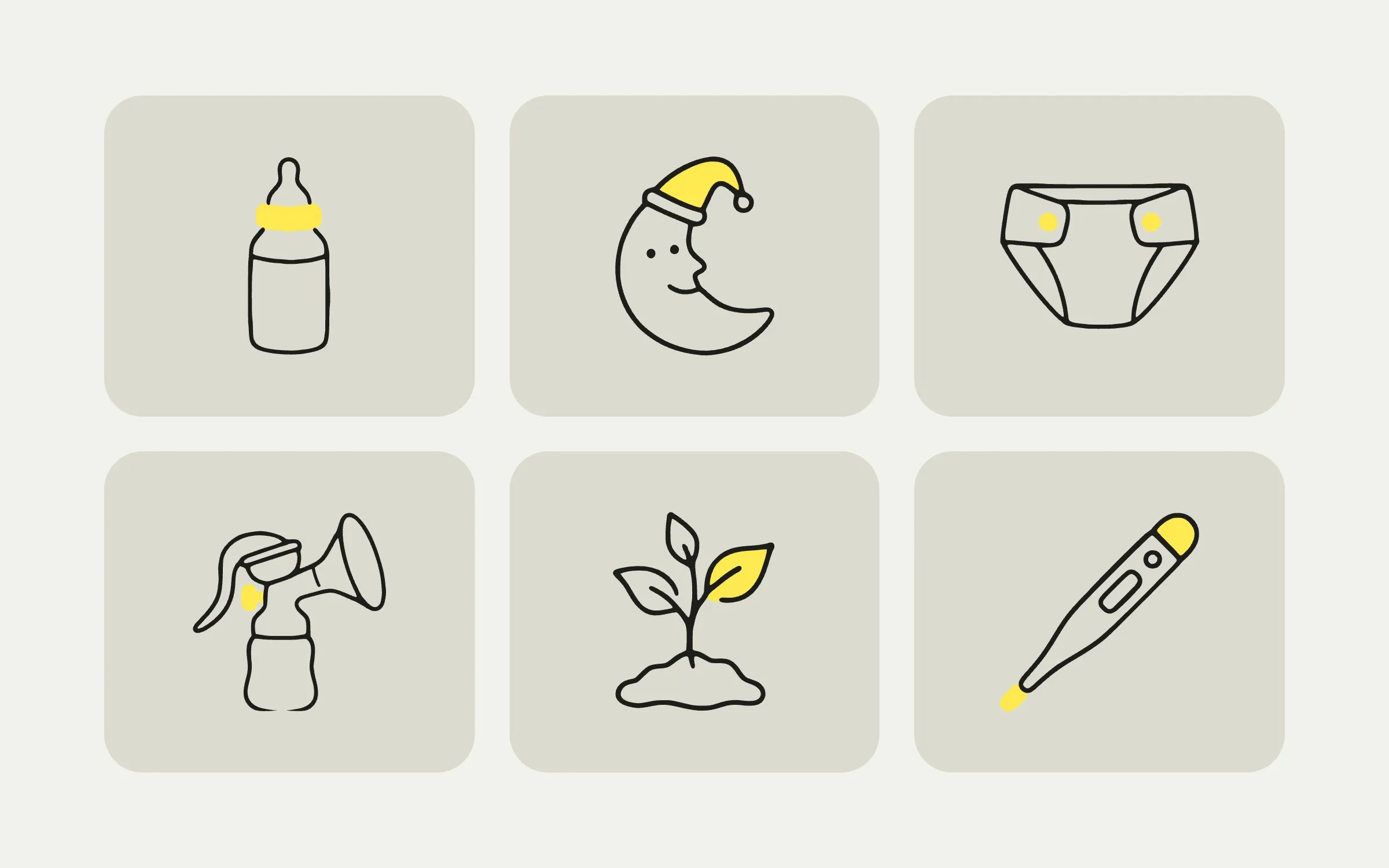
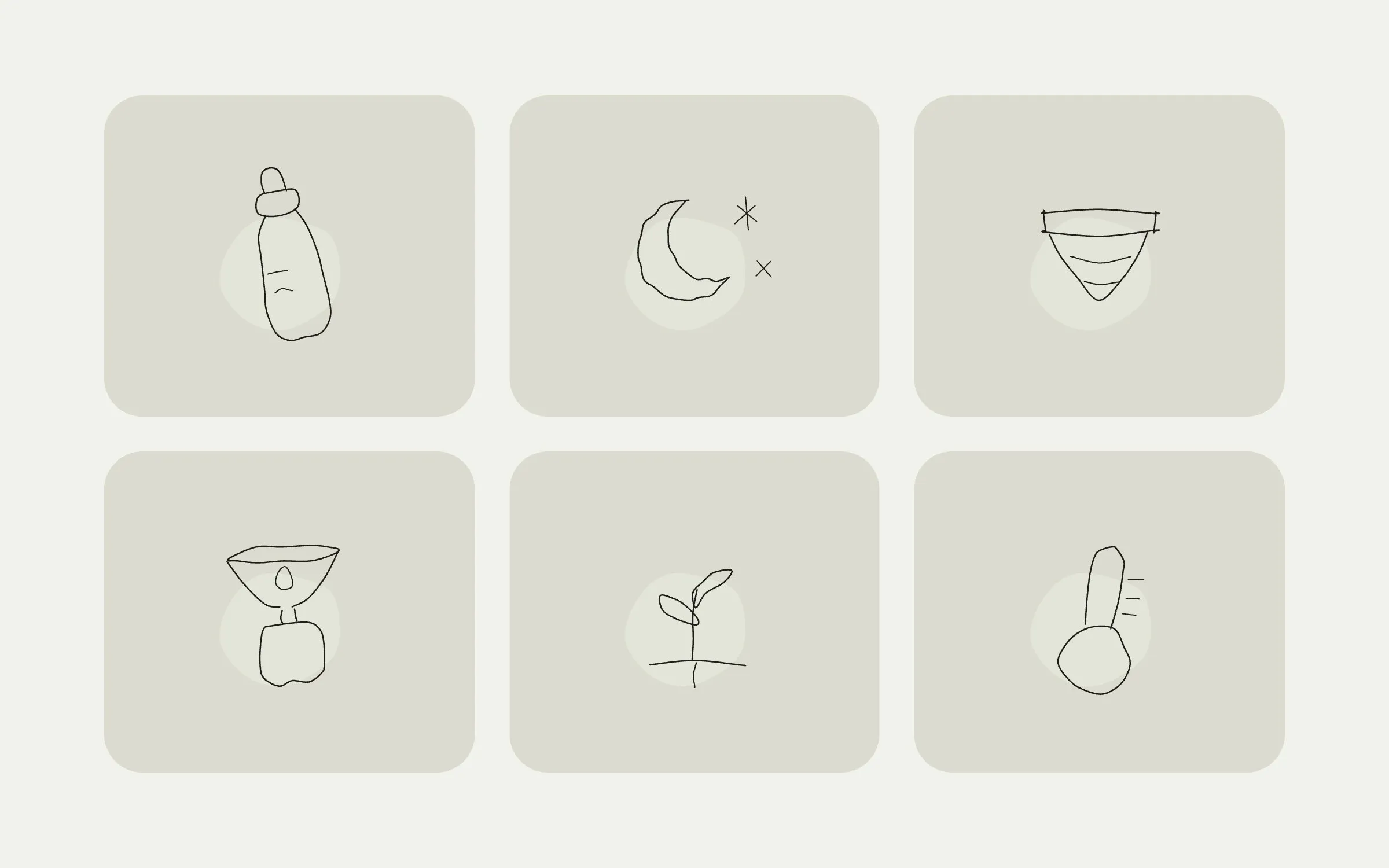
On day one the drawings were code: a clean skeleton for each, bent by seeded noise so they all shared one hand, with the amount of wobble set by a single number. It worked, and it made every new drawing a programming task, which is why there were forty-four of them and no more.
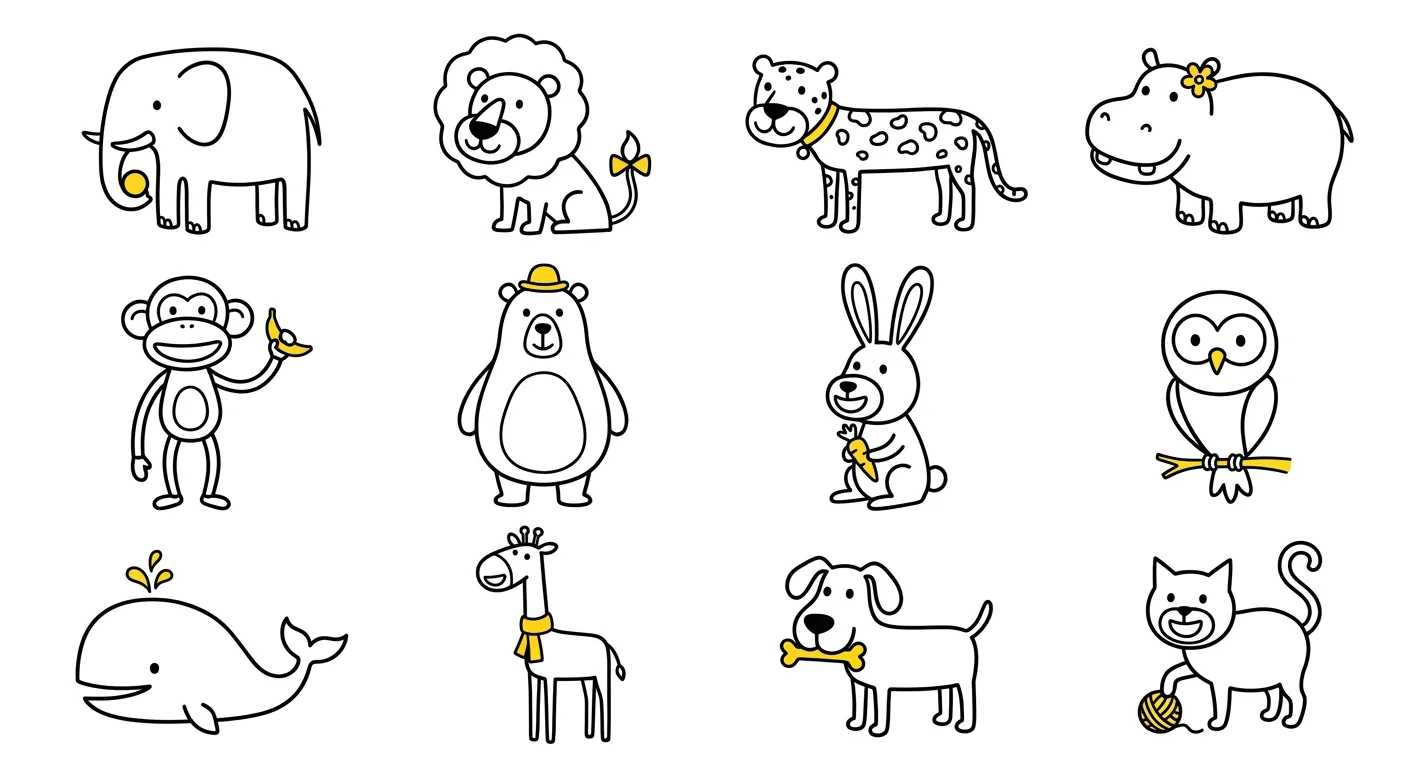
The next afternoon they became drawings again. An image model, Google’s Nano Banana, draws a sheet of twelve. vtracer turns each cell into vector paths, and they’re set on the same grid the app already used. A new batch of twelve is one command and about fifteen pence.
The model draws motion the same way: a sheet of twelve frames of one animal, rising, waving and sinking back. On the home screen they climb up behind a card, say hello and go. Nothing moves the drawing. The drawing changes, frame by frame, like a flipbook.
Feed
Last feeding 2h ago
120ml
The prompt that draws them
Every sheet comes from one style prompt, and the style came from drawings I loved: Woset’s characters and the grug app, both in a thin, loose, naive line.
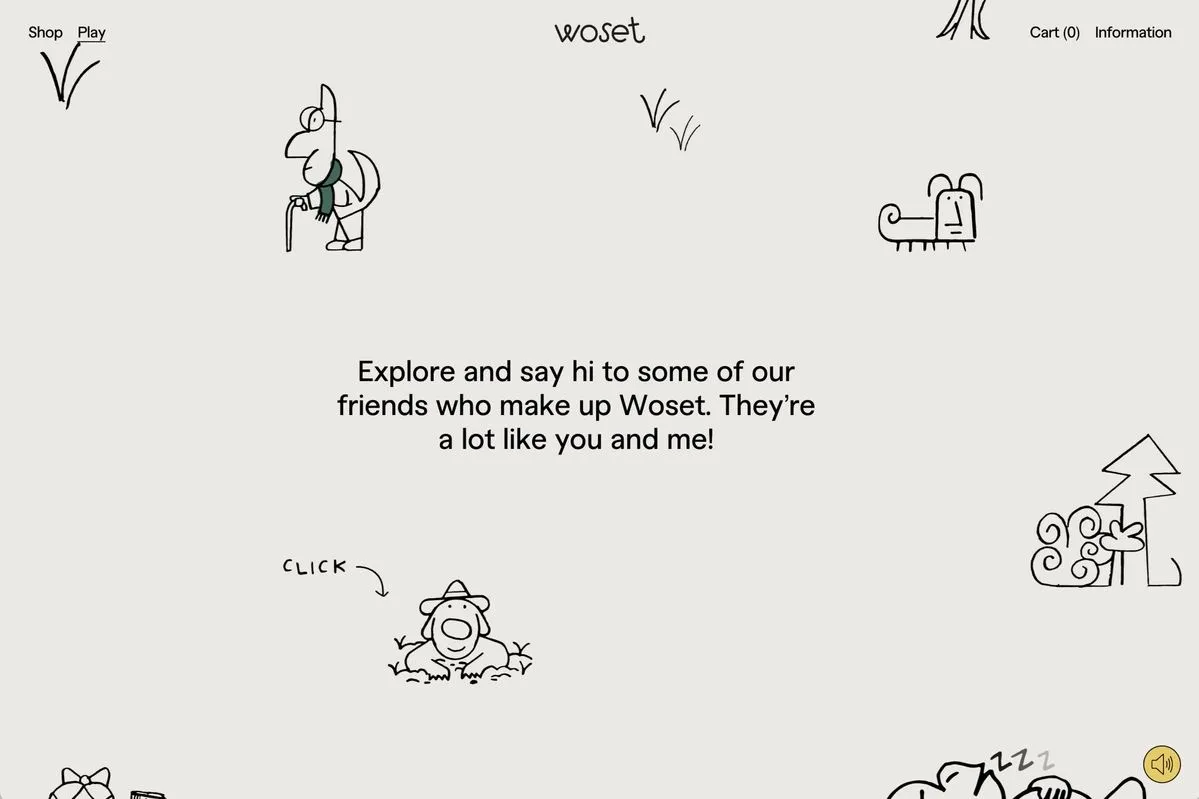
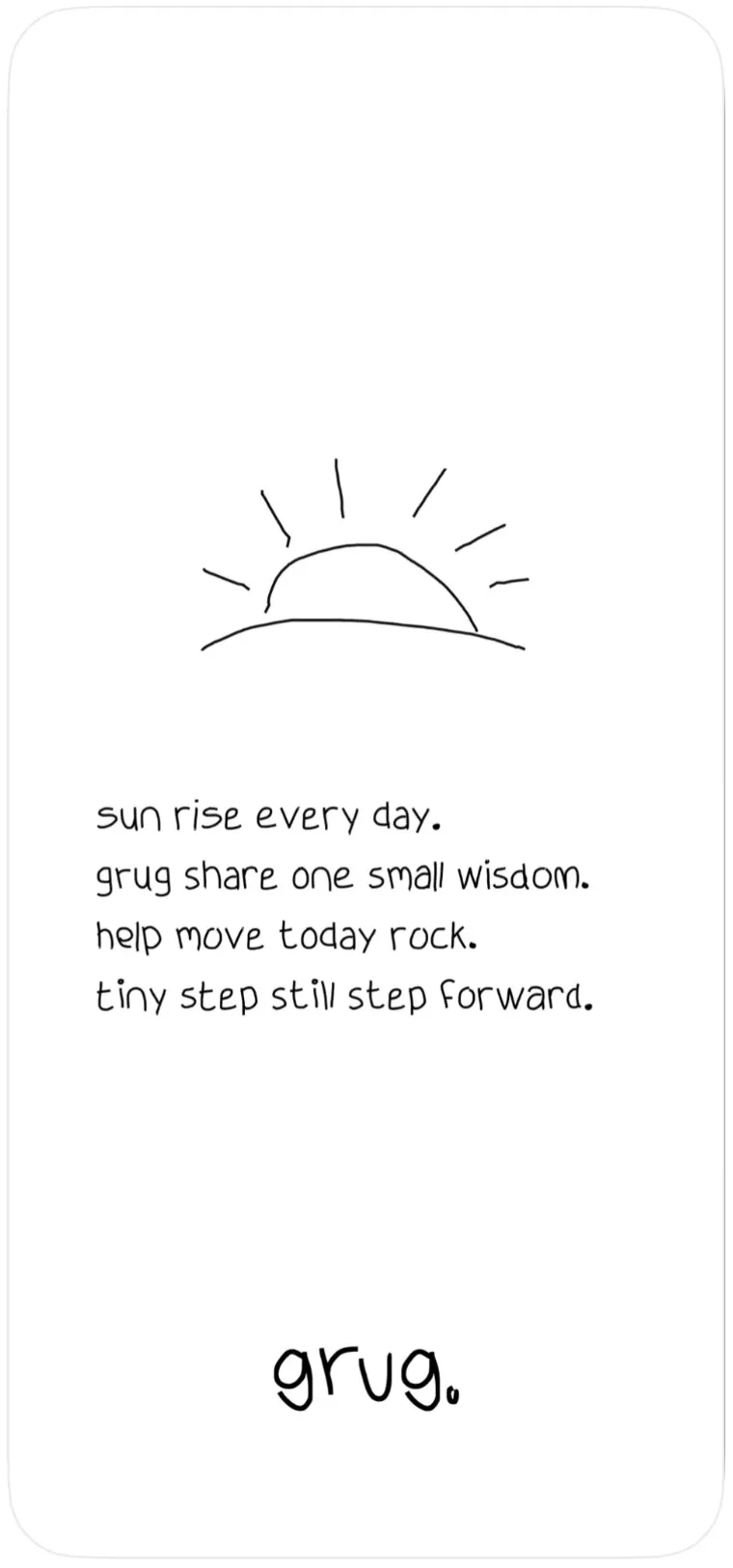
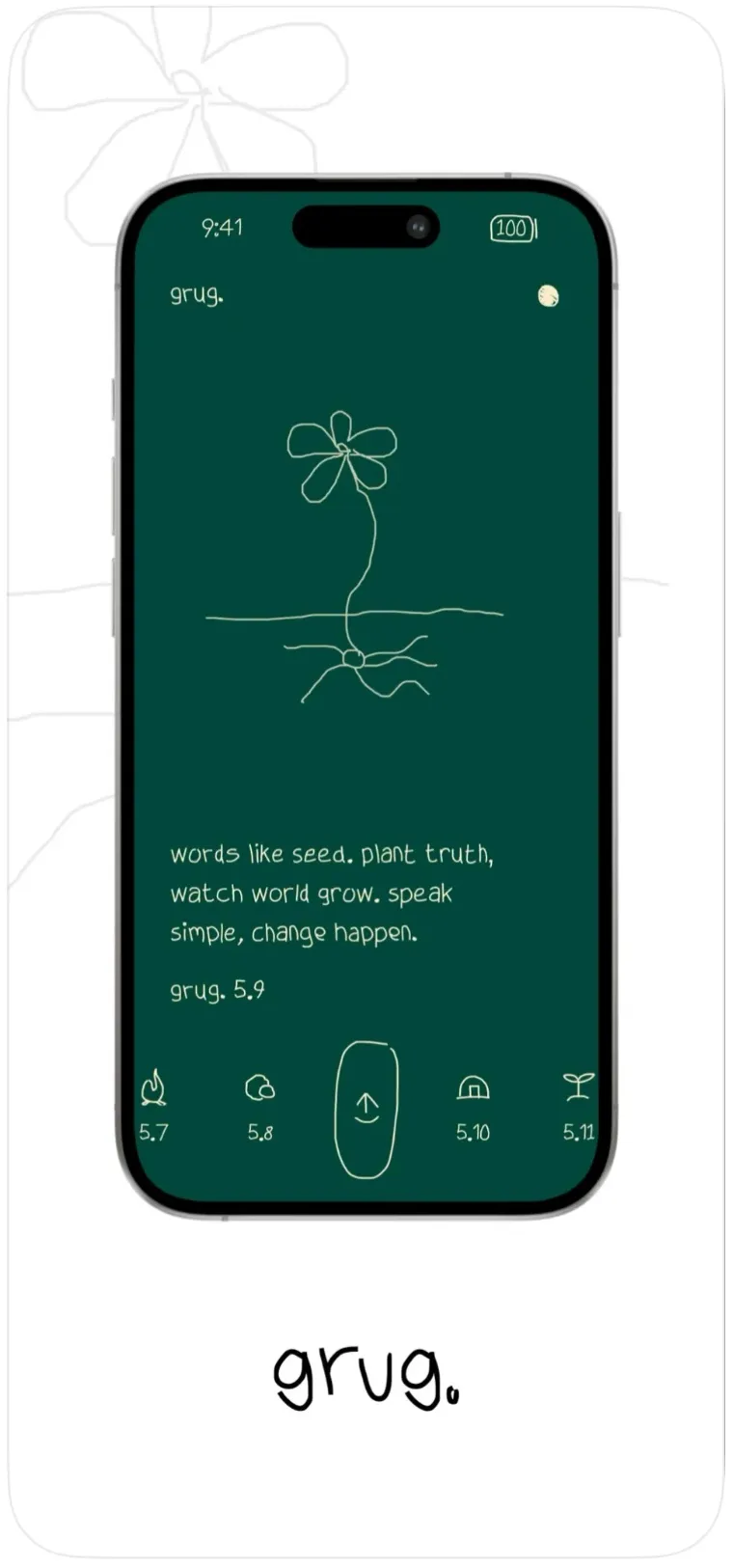
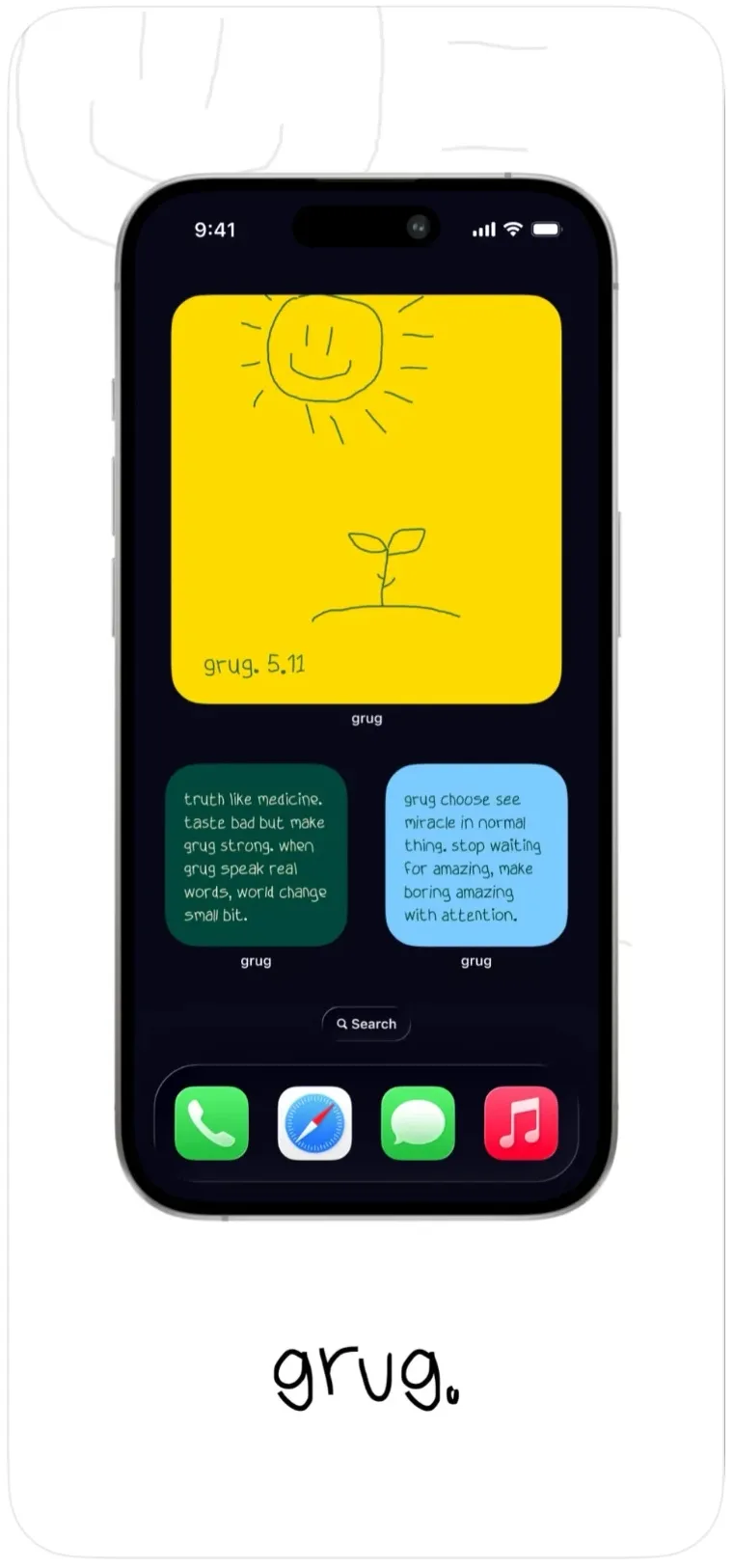
The house rules under the style were arrived at by looking at what came back: babies without eyes, grown-up noses on toddlers, yellow on a face. Here it is, as the model gets it:
Draw with a medium-weight black fineliner pen. The line is approximately 1/40th the height of a character.
The line is consistent, without tapering, but has a slight, deliberate hand-drawn wobble.
Construct figures from a combination of simple, flat geometric shapes (rectangles, trapezoids, straight-sided slabs) and simple, rounded organic shapes (blobs, circles, potatoes). There is no three-dimensional depth.
Figures contain a large amount of empty white space.
Arms and legs are typically simple lines or long, thin rectangular tubes attached to the main body shape. Hands and feet are often just blobs, simple lines, or small rectangles, without defined fingers or toes.
The line weight is uniform, and the ends and corners are often slightly blunt, rounded, or imperfectly joined.
Proportions are deliberately wonky and asymmetric. Heads and bodies are often mismatched in size, and limbs can be uneven.
Faces are minimalist, usually composed of small dots or circles for eyes, a simple line or curve for a mouth, and sometimes a basic geometric shape or line for a nose.
A complete figure is made with very few, distinct pen strokes, typically under 30.
There is significant variation in shape and construction between different characters.
There is no shading, no color, no texture, and no complex anatomical detail.
MEASURED FROM THE REFERENCE -- this overrides any statement about line weight above. The stroke is 1.08% of a figure's height: on a figure 300 pixels tall the line is about 3 pixels wide. Do not infer weight from the style -- this style reads heavier than it is.
House rules
WHERE THESE CONTRADICT THE STYLE BLOCK ABOVE, THESE WIN. The block above is derived from reference art and describes the hand in general; what follows is specific to this set and has been arrived at by looking at what actually comes back.
Layout: a 4x3 grid of twelve separate drawings on a plain white background. Each drawing is fully isolated in its own cell with clear white space around it: no cell borders, no frames, no grid lines.
ABSOLUTELY NO TEXT ANYWHERE IN THE IMAGE. No captions, no labels, no titles, no names under the drawings, no letters, no numbers, no words of any kind. An image containing a single letter is a failed image.
EVERY face has two visible solid black dot eyes -- every adult, every child, every baby, every animal, without exception. A face with no eyes is a failed drawing, and babies are where this gets dropped.
Nose size depends on AGE. On an ADULT or older child it is oversized and the most prominent thing on the face -- easily a third of the head, jutting well clear of the profile. On a BABY or TODDLER it is SMALL: a little wedge, barely projecting. A baby with a grown-up nose reads as a duck's bill and is wrong every time.
The nose is drawn with exactly TWO strokes and is OPEN where it meets the face -- the side nearest the head is simply absent, so the white inside it is the same white as the cheek. Never a closed shape, never filled.
Every character has a DIFFERENT body plan. One tall and narrow, the next wide and low, the next almost entirely head. A sheet where all twelve share a silhouette is a failed sheet.
Colour: pure black line on pure white, with ONE exception per drawing. Exactly one small element is filled flat, solid, bright warm yellow -- a bow, a button, a collar, a hat, a ribbon, a ball, a flower, a stripe. Keep it genuinely small: about the size of a hat or a bow relative to the figure. A whole blanket or garment in yellow is far too much. One spot per drawing and no more.
The yellow is NEVER on a human face -- not a nose, not an eye, not a cheek, not a mouth. On a person it belongs to clothing, an accessory, or something they hold. The one exception is an ANIMAL's beak or bill, which may be yellow because that is its natural colour.
Keep every character warm and friendly. Exaggeration is for charm, never for ugliness: no sagging jowls, no deep wrinkles, no sour or grotesque expressions. Older characters are gentle and cheerful, not decrepit.
Never draw: smoking, pipes, cigarettes, alcohol, or anything unsuitable around a baby.
Twelve subjects, one per cell, reading left to right, top to bottom: an elephant, a lion, a leopard, a hippopotamus, a monkey, a bear, a rabbit, an owl, a whale, a giraffe, a dog, a cat
Avoid: any colour other than the single small yellow spot, grey tones, shading, gradients, textures, cross-hatching, sketchy or feathered lines, tapered brush strokes, outlines of outlines, 3D rendering, drop shadows, cell borders, captions, watermarks, signatures.
Then make them hold up
Traced, they were outlines with nothing inside to fill, because a traced line is a ribbon, not a shape. So the fills are found instead: the background is flooded in from the four corners, and whatever the flood can’t reach is inside the ink.
Three weeks later, on the website at four or five times the app’s size, they fell apart:
When you scale the illustrations, the brush strokes look like absolute garbage. Is there any way we can clean all that up? Make them look like a legitimate illustration.
Fair. A cell is about 250 pixels, so every wobble of the marker came along with the trace. Now each stroke is redrawn along its smoothed centre line at an even width and traced again. That went in within the hour.
How it was made
- Inspiration
- Woset’s characters and the grug app.
- Technique
- Day one: code skeletons bent by seeded noise. Since day two: the model draws a sheet of twelve, and each cell is sliced, traced, filled by flooding in from the corners, and re-inked along its centre line.
- Prompt
- The style prompt above, with a list of twelve subjects per sheet. Its line weight was measured from the reference art: 1.08% of a figure’s height.
- Tools
- Google’s image model, through Vertex AI, for the sheets; vtracer for the first traces, then potrace, with NumPy, scikit-image, SciPy and skan to find each stroke’s centre line;
npm run build:illustrations, which bakes the traces into the app; react-native-svg, which draws them.
How they move
Each filmstrip is drawn behind a ledge, on purpose. Asked to rise past an invisible edge, the model loses the composition entirely: sizes drift and bodies run across cells. With something to lean on, twelve frames come back consistent. The ledge is cut away afterwards, and the card’s own edge takes its place.
What reads as alive is the drawing changing, not the drawing moving. The references I liked ran 44 to 57 frames at 14 frames a second. Twelve is not 57, so the timeline does the rest: it arrives quickly, holds, waves, and leaves quickly. Fast, slow, fast.
This is what goes on top of the style prompt, for the bear:
This is a FILMSTRIP, not twelve different subjects. Every cell shows THE SAME bear, at twelve consecutive moments of one continuous action, read left to right then top to bottom. The bear must be identical in every cell -- same size, same build, same face, same markings -- and only its POSE and POSITION change. This overrides the rule about every character having a different body plan, which does not apply to a filmstrip of one character.
NOTHING IS DRAWN AROUND A CELL. No box, no border, no rectangle, no panel, no comic-strip frame, no outline of any kind enclosing a drawing. The twelve drawings float on one continuous sheet of plain white paper with nothing whatsoever separating or surrounding them -- no lines above them, none below them, none down their sides. The ONLY horizontal line anywhere in the image is the ledge described below. A box, a frame or a second horizontal line around any drawing is a failed sheet.
Every cell shows the bear behind a single horizontal ledge line that runs the full width of the cell at EXACTLY THE SAME HEIGHT in all twelve. The ledge never moves and is drawn in every cell, including the ones where the bear is not visible. The bear rises from behind it and sinks back behind it, and rests its paws on it.
The ledge is one straight horizontal stroke and nothing else -- not a shelf with thickness, not a ground with texture, not a box.
The bear is the same size and in the same left-to-right position in every cell it appears in. Only how far it has risen changes.
Twelve moments, one per cell, reading left to right, top to bottom: an empty horizontal ledge line with nothing behind it; the very top of a bear head just beginning to appear behind the ledge; a bear head rising higher behind the ledge, ears still folded down; a bear head fully up behind the ledge, eyes closed; a bear behind the ledge with eyes open looking to one side; a bear behind the ledge looking straight ahead with both paws on the ledge; a bear behind the ledge with one paw lifted off the ledge beginning to wave; a bear behind the ledge with one paw raised high waving, leaning to one side; a bear behind the ledge with the raised paw crossing to the other side mid-wave; a bear behind the ledge lowering its paw back onto the ledge; a bear sinking down behind the ledge with only the top of its head showing; an empty horizontal ledge line with nothing behind it.
How it was made
- Inspiration
- Reference animations at 14 frames a second, where the drawing changes instead of moving.
- Technique
- A twelve-frame filmstrip per character, played on a timeline with long holds, clipped at the ledge so it leans on the card.
- Prompt
- The filmstrip prompt above, on top of the style prompt.
- Tools
build-frames.mjs, which keeps every frame in one 120-unit box so nothing jumps;FrameStripandCornerOrnamentin the app; and Gaia’s animation principles, in the brand skill, which rule out moving a still drawing. This page plays the same frames on the same timeline.
The icon is the drawings
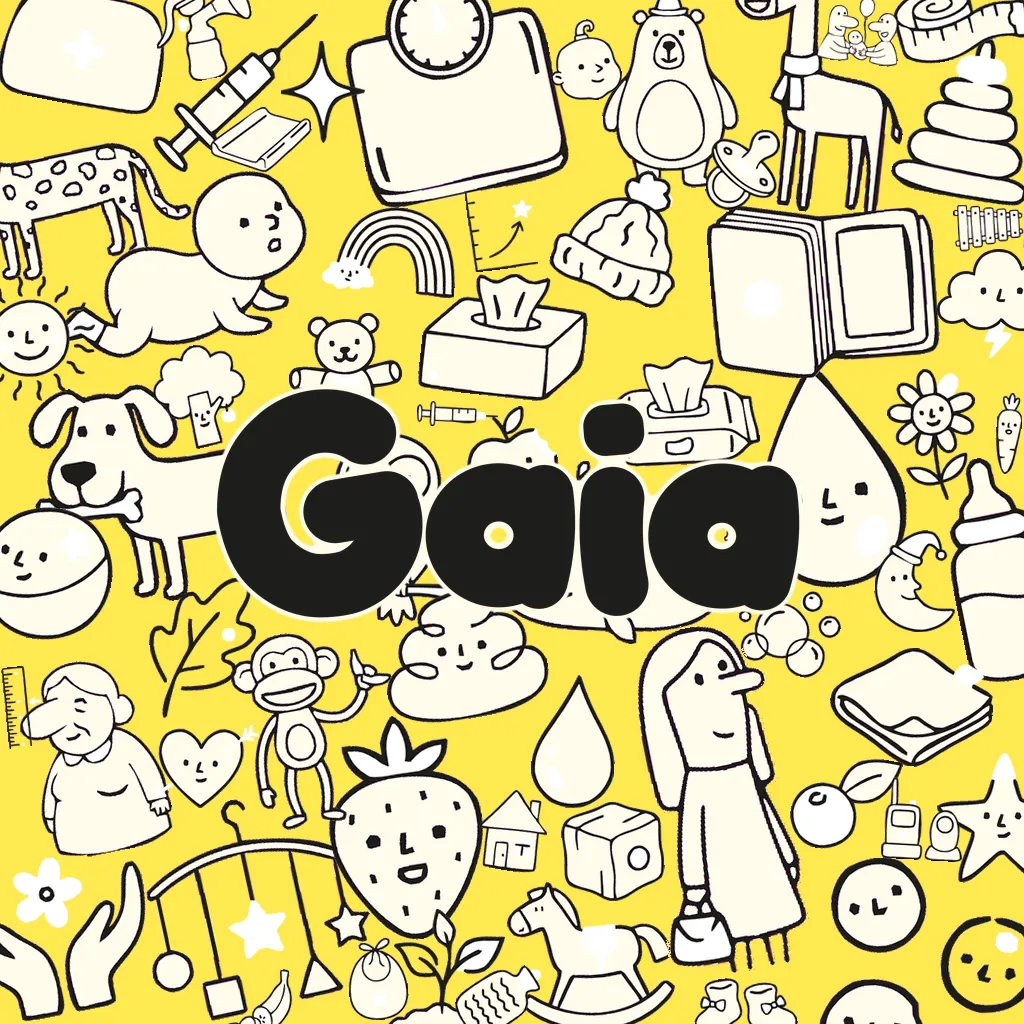
It isn’t drawn separately. It’s composed from the same paths the app renders, crowded onto the yellow, so it can’t drift away from the app. It’s drawn at 1,024 pixels and lived with at about sixty, where a crowd turns into texture, so the cast is weighted: the family is big enough to carry the shape, and everything else fills in around it.
How it was made
- Inspiration
- The drawings themselves.
- Technique
- Composed from the app’s own drawing paths and wordmark at 1,024 pixels, weighted to read at sixty.
- Tools
scripts/icon/make.py, which reads the wordmark and the drawings from the app’s source instead of keeping copies.
Parents wrote the website
Two drafts of the site were turned down for the same reason: they listed features nobody had asked for. The third came from an r/NewParents thread asking which tracker people use. Free with no subscription was the reason most often given for choosing one. Shared logins were why someone switched. And the two most upvoted dissents in the whole thread warned about the anxiety these apps create.
So the site says exactly that: free, with no subscription; a login for every caregiver; and patterns without targets, so the app never grades a tired parent.
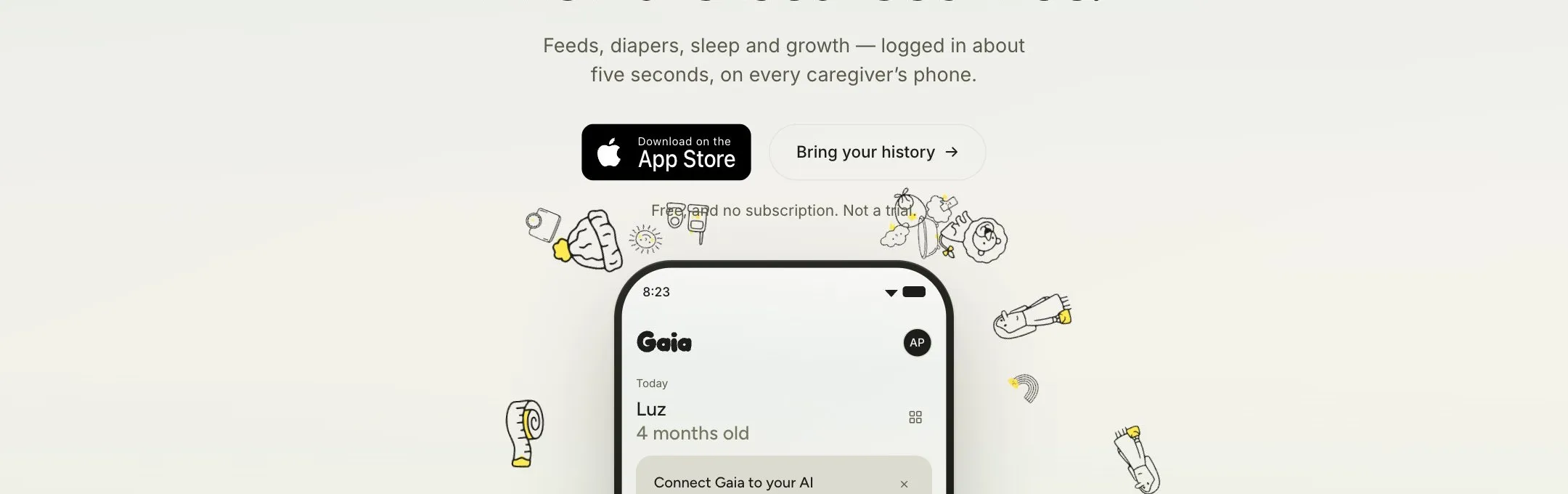
And the site kept up with the app:
Also, what should we update on our site? I feel like we need to showcase language better. Show we support twins, vaccines, what else?
How it was made
- Inspiration
- An r/NewParents thread asking which tracker people use.
- Technique
- Write the page from the reasons parents gave, not from the feature list.
- Tools
site/build.mjs, a static build that imports the app’s own drawings, so the site can’t drift from the app.
A screenshot and a sentence
Like my site, a lot of Gaia’s fixes started with a screenshot and one line:
Have a look at this input. Do you see how the text is not perfectly centered? This is happening pretty much everywhere in the app. Please fix it everywhere.
This is looking much better, but it looks like there’s some drop shadows underneath the smaller cards like sleep, diapers, etc.
That one became a rule too: cards cast no shadow. Only things that float, like the tab bar and a sheet, get one.
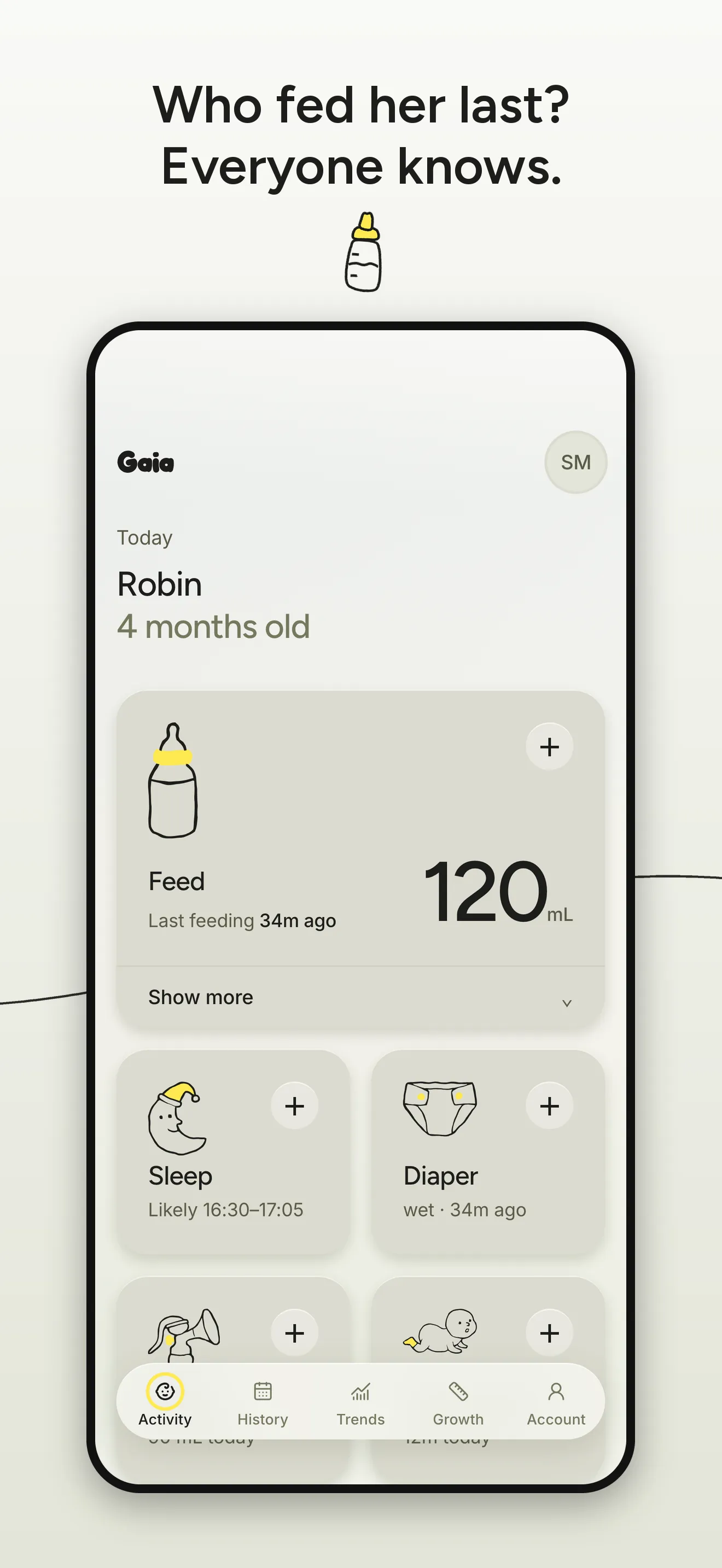
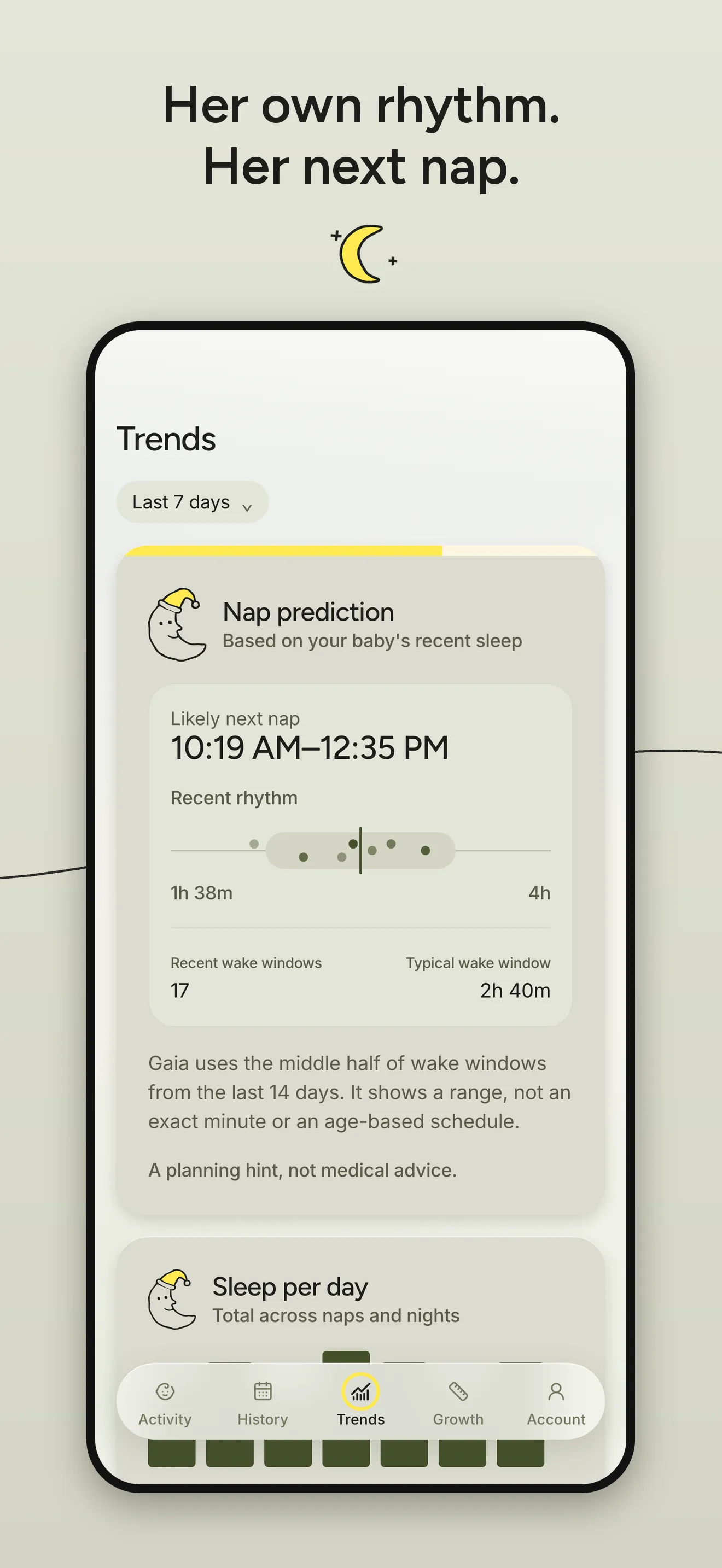
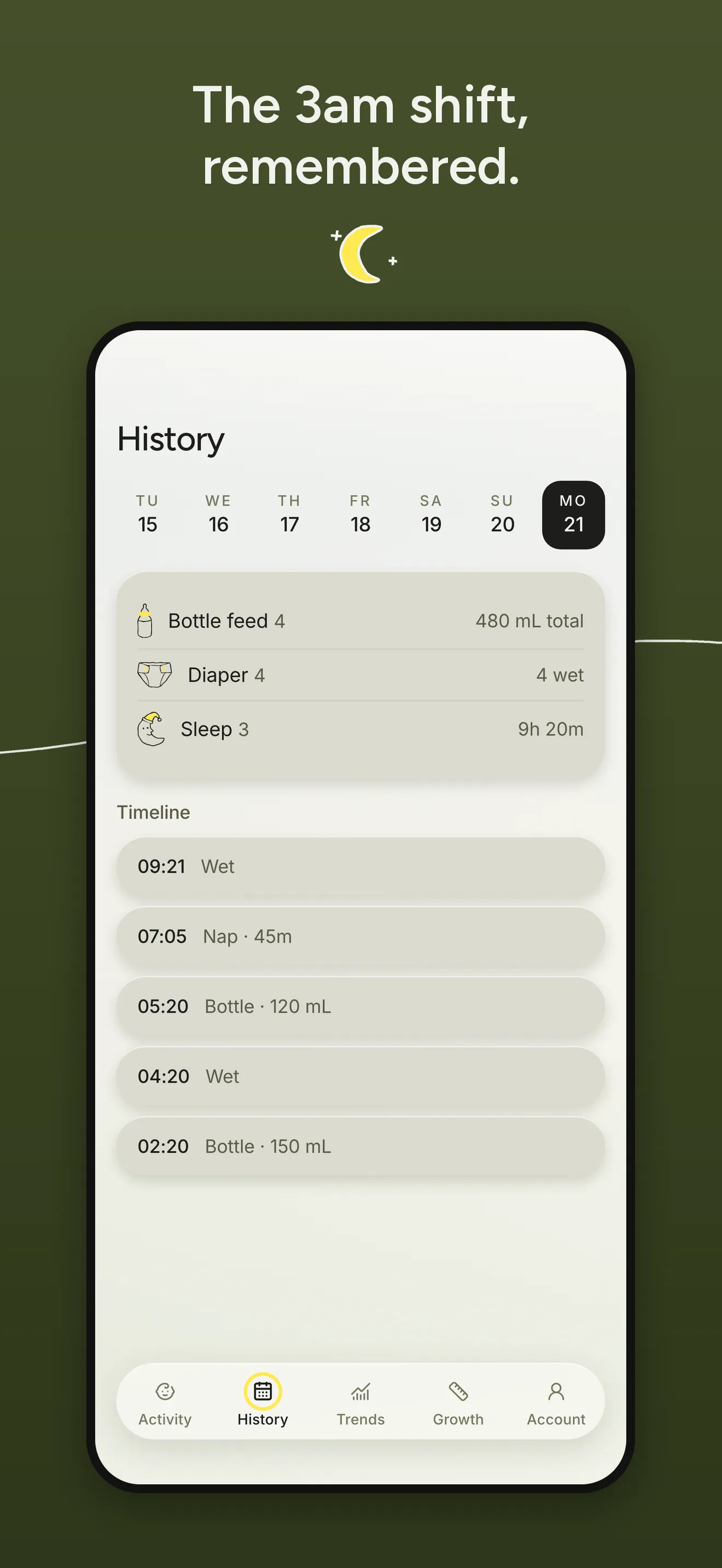
On testers’ phones by day five
Can you get this pushed to TestFlight?
Build 18 was on TestFlight about an hour and a half later. Gaia was live on the App Store in early October, and the launch post went up on the 5th.
Both videos were cut in code
Neither video I posted was edited by hand. Both were built in a small video studio I keep for all my products, from Gaia’s own pieces: screens recorded from the app and the website, and the mark, colours and type read straight out of its source.
The brand grid, in the launch post
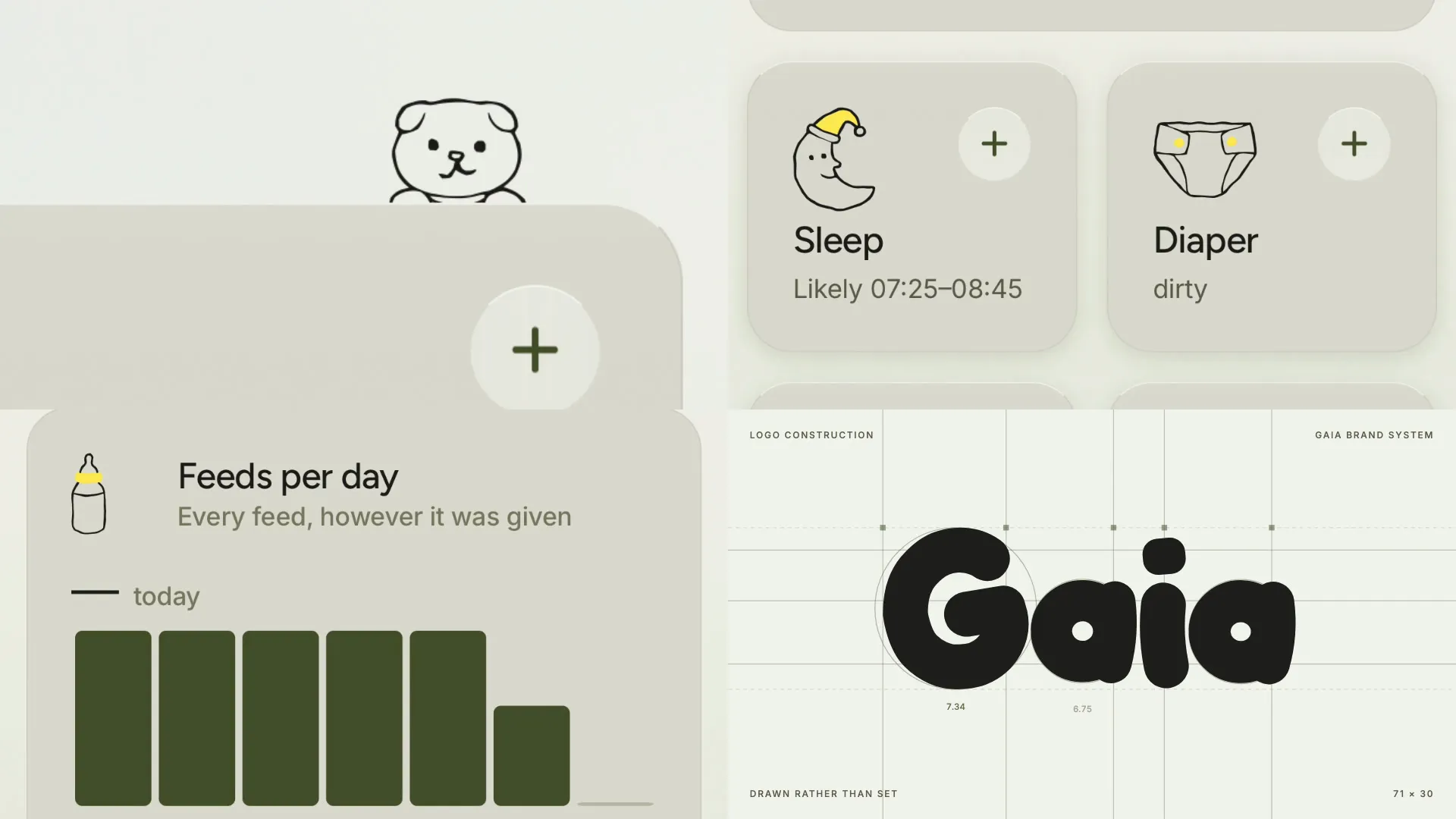
The video in the launch post is a brand grid. I’d seen one on X, four close-ups of one product cutting on their own clocks, and asked for the same:
Can we also, for the UI ones, generate videos like these where we’ll put a bunch of different ones into a grid that kind of show a whole brand system? Maybe that can be a new skill too.
The first cut read as the website: the app was in it only as close-ups of its characters. Three notes made it:
Make sure it’s a mixture of assets. Right now you only did it for the Gaia website, but it should combine with the app.
The 4 item grid, it could include the logo, and also like brand color palette and typography.
The chart on the 16 x 9.
So the app went in beside the site: the Trends bars growing, the Growth curve drawing itself, the Sleep and Diaper cards, the phone standing on Gaia’s ground. Four brand pages went in too. The wordmark writes itself stroke by stroke over its construction lines, each letter labelled with its real stroke weight. The palette carries the names and jobs from Gaia’s colour tokens. Figtree and Inter appear in Regular and Medium only, because nothing in Gaia is heavier than 500. And where a wide cell had cropped the Growth chart to a bare curve, the whole card now floats on the app’s own ground.
How it was made
- Inspiration
- A brand-grid video by @leomeethewoo on X, a fintech app’s UI in four cells, and Flexa’s brand guidelines for the logo, palette and type pages.
- Technique
- Each cell plays close crops of real footage, each with its own in and out, focus and entrance: it rises, settles or cuts, then pushes in about 1% a second. A few lines of Python lay them out so nothing plays twice at once and two dark moments never land together. A script builds the brand pages from Gaia’s own code, so a new logo in the app makes a new film.
- Prompt
- The request above, then the three notes.
- Tools
- Remotion for the grid, Playwright to film the site, the iOS Simulator and ffmpeg for the app, and a checker that looks inside every cell every half second for one that’s gone empty.
It worked well enough that I asked for one for everything else I’d made:
Alright, this is super cool with the brand thing. Can you do the same videos for like all the other properties we’ve created videos for?
There are eight now, one per product.
The home screen, in the follow-up
The follow-up on 9 October carried the other film, and it came from one line about the home screen:
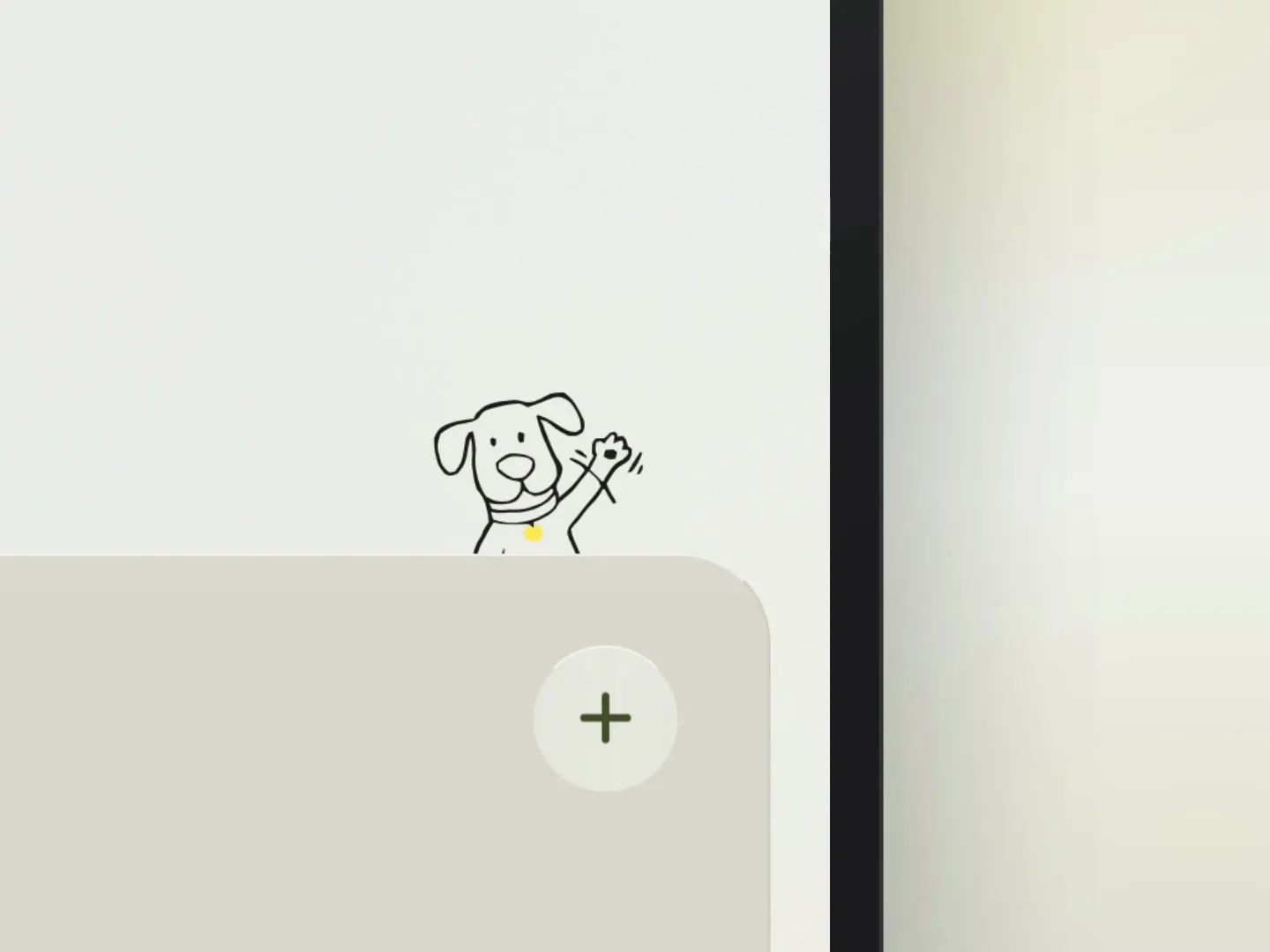
We should also look at Gaia. Maybe showcase some of the cute little animations that are happening in the app, like with the little character kind of like popping its head over the ledge. So just showing like the home screen of the app.
It’s one take of the home screen in the simulator, set in a phone on Gaia’s ground. The camera eases in on the Feed card as each animal arrives, an elephant, a dog and a bear, and pulls back out at the end. No captions and no voice, 21 seconds.
How it was made
- Inspiration
- The app’s own home screen, and the character climbing up behind its card.
- Technique
- Record the real thing once, then let a camera find the moment: it pushes in on each character and holds while it waves.
- Prompt
- The line above.
- Tools
- Remotion, the camera rig from my Walkie tutorials, and the iOS Simulator.
The skills behind them
Every lesson above went into my video skills as it happened, from mixing every source to never cropping a chart. General versions are public, brand-grid-video and feature-video among them:
claude plugin marketplace add adamperlis/adam-plugins
claude plugin install video-skills@adam-plugins
Then it went viral
The launch post was seen 33,600 times on X and 35,890 times on LinkedIn. Four days later I posted a follow-up about the brand, and on LinkedIn it went further still: 57,279 impressions.
As I said in that post, a lot of you asked how I made the brand, and whether there was a skill for it. This page is the long answer, and the skill is below.
Not every day has 24 hours
On 25 October the clocks went back in Europe, and Trends froze for anyone whose baby slept through 5 to 6 in the morning that night.
The sleep chart walks each sleep through days that run 6am to 6am, and it stepped a fixed 24 hours to get to the next one. That day was 25 hours long, so 24 hours on was 5am, still the same day. The walk never moved on, and iOS killed the app.
Now it steps to the next calendar day’s 6am, refuses to stand still, and draws each day at its real length: 25 hours, or 23 in spring. It was fixed and sent to Apple the same day, with tests for that night in Madrid, the US change and the spring one.
The lesson: count calendar days on the local clock, never 24-hour steps. If your app counts days, test it on a 25-hour day.
I wrote the whole brand down
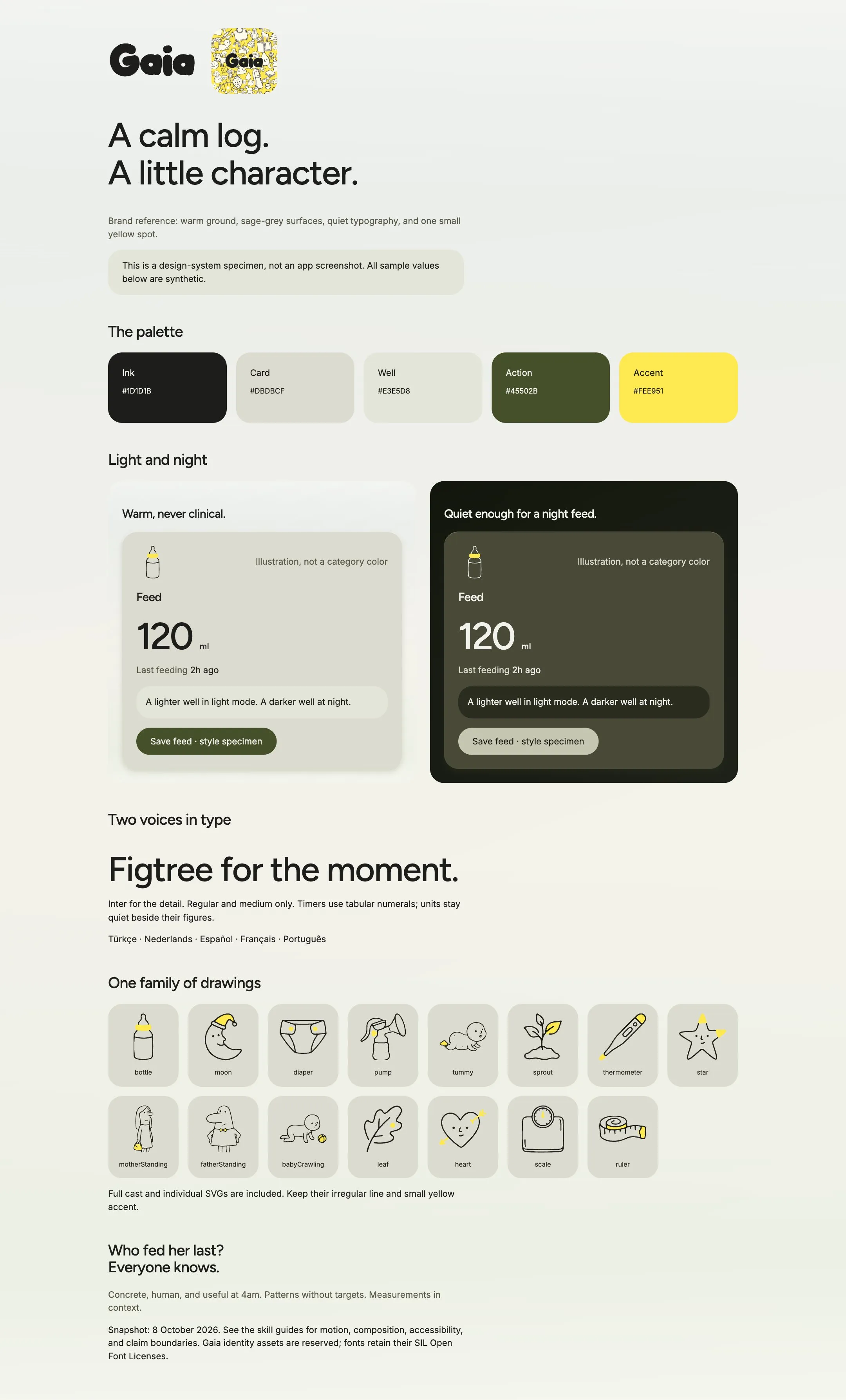
Everything above lives in one Claude Code skill, gaia-brand: the palette and what each colour is for, the two typefaces and their sizes, every drawing as an SVG, the icon, the motion, the voice, and a brand board you can open in a browser.
It’s what keeps the next screen on brand. An agent reads the rules and uses the real artwork instead of guessing its way to a generic sage-green dashboard.
To install it in Claude Code:
claude plugin marketplace add adamperlis/adam-plugins
claude plugin install gaia-brand@adam-plugins
The instructions are MIT, so take what’s useful. Gaia’s name, drawings and icon are still Gaia’s: use them to learn the system, not to ship another Gaia.
The libraries and the skills
An iPhone app with a Watch app and widgets, an API and a website, built on these:
- Expo and React Native
- the iPhone app, in TypeScript
- react-native-svg
- every drawing, drawn rather than shipped as pictures
- Reanimated
- the motion that follows a finger
- expo-glass-effect
- Liquid Glass, only on the things that float
- Lingui
- eight languages
- who-growth-standards
- the growth charts, worked out on the phone
- SwiftUI
- the Apple Watch app and the widgets
- Vercel and Neon
- one API function over Postgres, with row-level security
- Better Auth
- a login for every caregiver
- Google’s image model, vtracer, potrace
- the drawings
The skills it leaned on
Claude Code skills are instructions it loads for a kind of job. These were installed in Gaia’s repo while I built it:
- awwwards-animations ↗ motion patterns for expressive interfaces
- userinterface-wiki ↗ UI and UX practices, from animation to typography
- neon and neon-postgres ↗ the database
- gaia-brand ↗ the one this build produced
The recipe, as I’d do it again
- Build it for yourself first. A problem you have every night keeps every decision honest.
- Put your real data in on day one. Design against real nights, not placeholder data.
- Sample your references, don’t guess them. Then solve the inks for contrast instead of copying them.
- One accent, spent once per screen. Decoration and action never share a colour.
- Let a model draw, and keep the style in one prompt. Add a house rule every time a sheet comes back wrong.
- Make the icon out of the drawings, so it can’t drift.
- Take the words from the people you built it for, not from yourself.
- Get it onto a phone in days, then fix it from your phone, a screenshot and a sentence at a time.
- Cut the launch video from the product itself: its real screens, and the mark, palette and type read from the code.
- Test the strange days: the 25-hour day in autumn and the 23-hour one in spring.
- Write the brand down as a skill, so the next screen starts on brand.
Standing on these
- Woset whose characters set the drawing style
- grug ↗ by Ocho, the hand-drawn feel
- @leomeethewoo ↗ whose brand-grid video Gaia’s grid follows
- Flexa whose brand guidelines shaped the logo, palette and type pages
- Nano Banana Google’s image model, which draws every sheet
- vtracer ↗ turns each drawn sheet into vector paths
- potrace ↗ re-inks every stroke at an even width
- Gaia Family ↗ the GAIA logo the wordmark took its cue from
- Figtree ↗ the display face, under the SIL Open Font License
- Inter ↗ the text face, under the SIL Open Font License
- WHO Child Growth Standards ↗ the data behind the growth charts
- Remotion ↗ both films, rendered in code
- Expo ↗ the iPhone app, in React Native
- Neon ↗ the Postgres database
- Better Auth ↗ every caregiver’s own login
- r/NewParents ↗ where the website’s words came from
Built with Claude Code. The site’s own making-of is How I built this, and Gaia is at gaiababy.app ↗.