Walkie. Speak, and polished text lands in any app. Record a call and get notes with who said what. Select anything to hear it in 950+ voices.
- Role
- Solo founder · product, design and engineering
- Built on
- Handy by CJ Pais (MIT) ↗
- Platform
- Mac, Windows, Linux, iPhone, Android
- Status
- Launched
- Recognition
- #4 Product of the Day on Product Hunt ↗
- Stack
- Tauri, Rust, React, TypeScript, Expo, Swift, Kotlin, Supabase
Overview
Walkie is a voice app for your desk and your phone. Hold a shortcut, talk, and clean text lands in whatever app you’re in. Record a call and get notes with who said what. Highlight any text and Walkie reads it back. It’s for people who write all day, in email, chat, docs and AI prompts, and would rather talk.
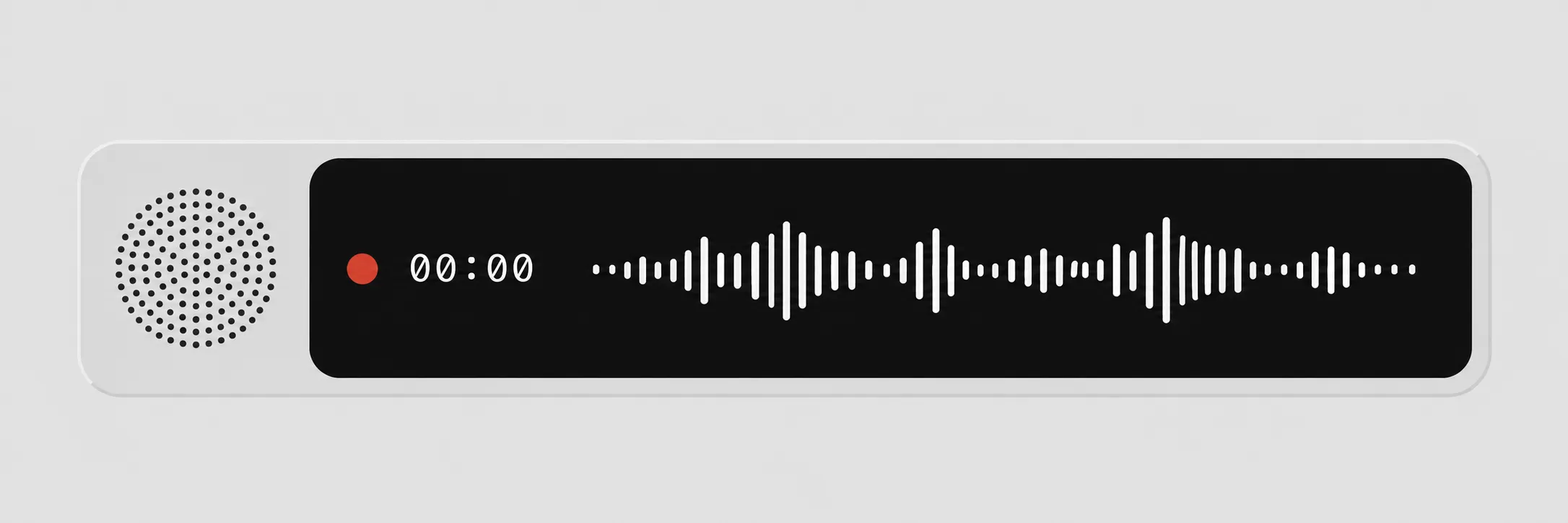
1 / 16The overlay that appears while you hold the shortcut and talk.
Why I built it
Most voice tools are cloud-only: your audio goes to someone’s server whether or not it should leave the machine. I wanted one app where that’s an explicit choice. On-Device Mode runs the speech model on your computer, works with Wi-Fi off and needs no account. Cloud Mode sends the clip for faster transcription and cleanup, then discards it. Then I followed where talking happens: onto the phone, and into meetings, which don’t wait until you’re back at a desk.
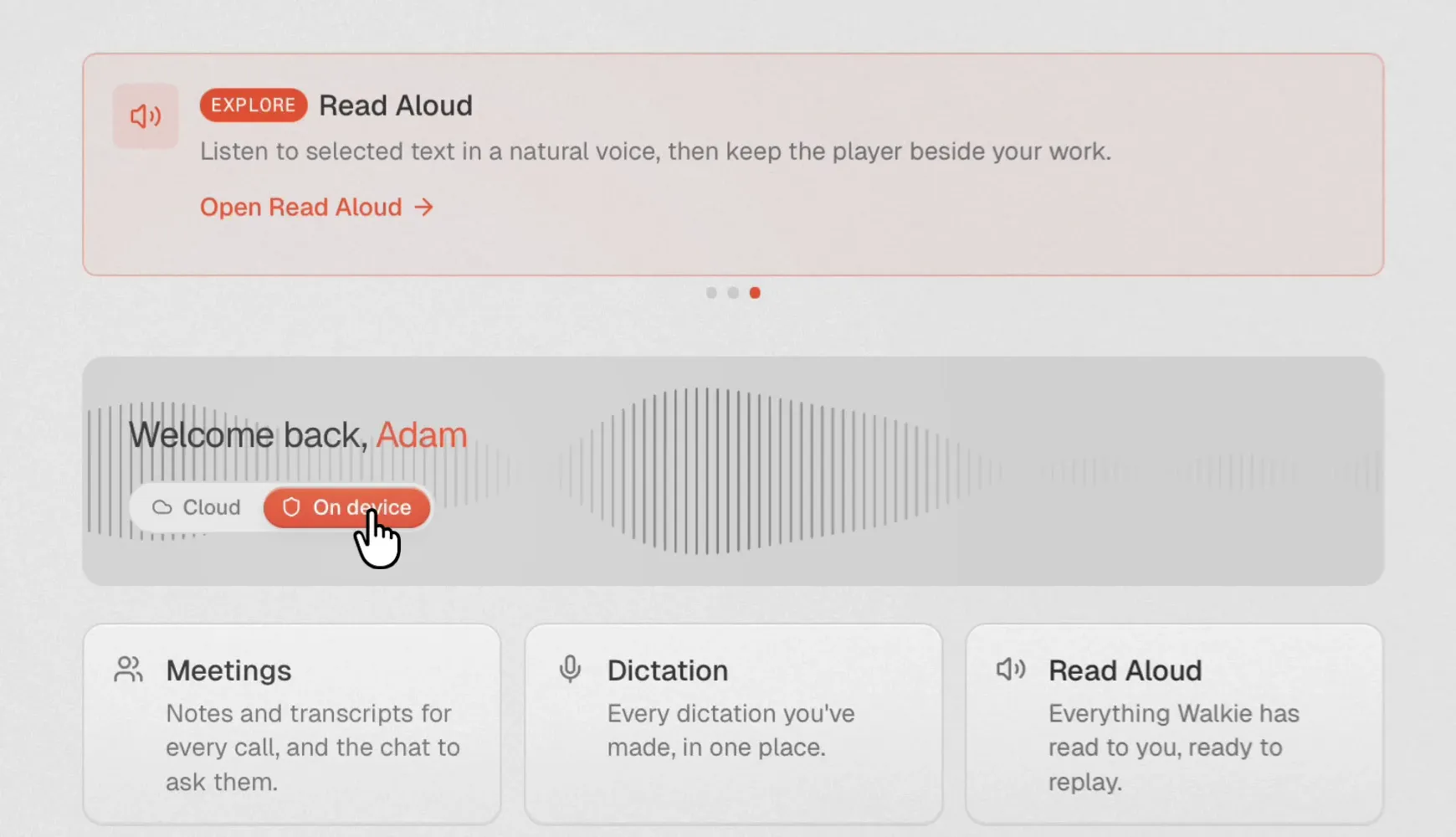
2 / 16The choice is on the home screen: Cloud, or On device.
My role
I designed and built Walkie on my own: the product, the interface, the Rust core, the phone apps, the website, the pricing and the launch. It didn’t start from a blank page. The desktop app began as a fork of Handy, CJ Pais’s open-source dictation app, and still ships his MIT-licensed transcribe-rs and vad-rs libraries. My first commit was on 28 February 2026; about two thirds of the repository’s 1,733 commits have come since.
Claude Code was my pair the whole way: 1,072 desktop commits and 199 of the 216 phone-app commits are co-authored with it. What to build, what to cut and how each moment should feel were my calls.
What it does
- Dictation anywhere. System-wide on Mac, Windows and Linux; a keyboard on iPhone and Android.
- Cleanup in Cloud Mode. Strips filler words, fixes grammar, and on macOS formats for the app you’re in: an email gets a greeting and sign-off, a chat stays on one line.
- A dictionary that learns. Fix a word after it’s pasted and Walkie offers to remember it.
- Meetings. Records both sides of a call with no bot joining, then writes speaker-labelled notes and action items in the shape of a template: a 1:1, a sales call, a design review, an interview.
- Read Aloud. 950+ voices with word-by-word highlighting, from a shortcut, a dropped PDF or the right-click menu, and one voice that runs on the device.
- MCP connector. Claude, Cursor and other MCP clients can search and read your meetings, read-only.
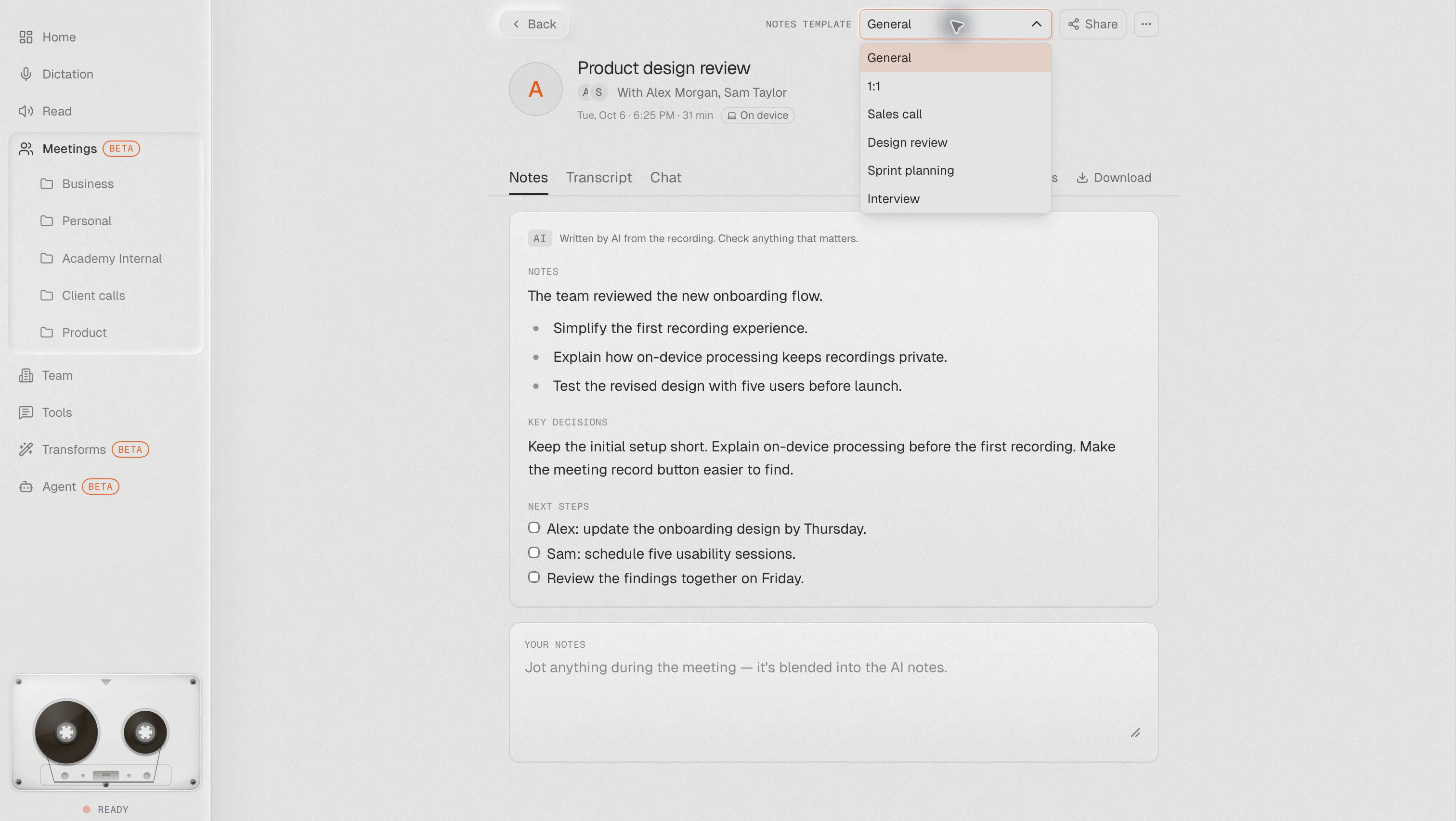
3 / 16Meeting notes, written in the shape of the template you pick. 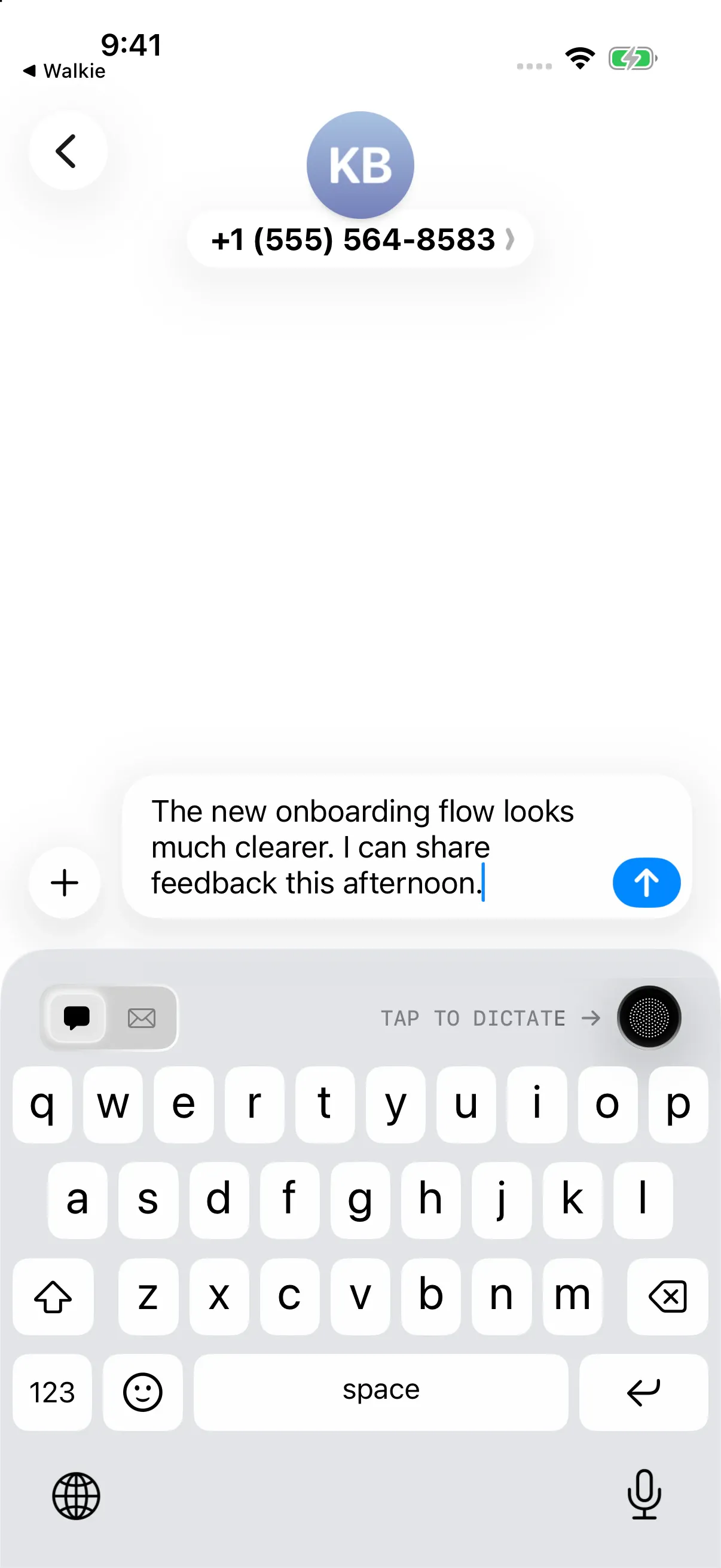
4 / 16On iPhone, Walkie is a keyboard, so dictation works in any app. 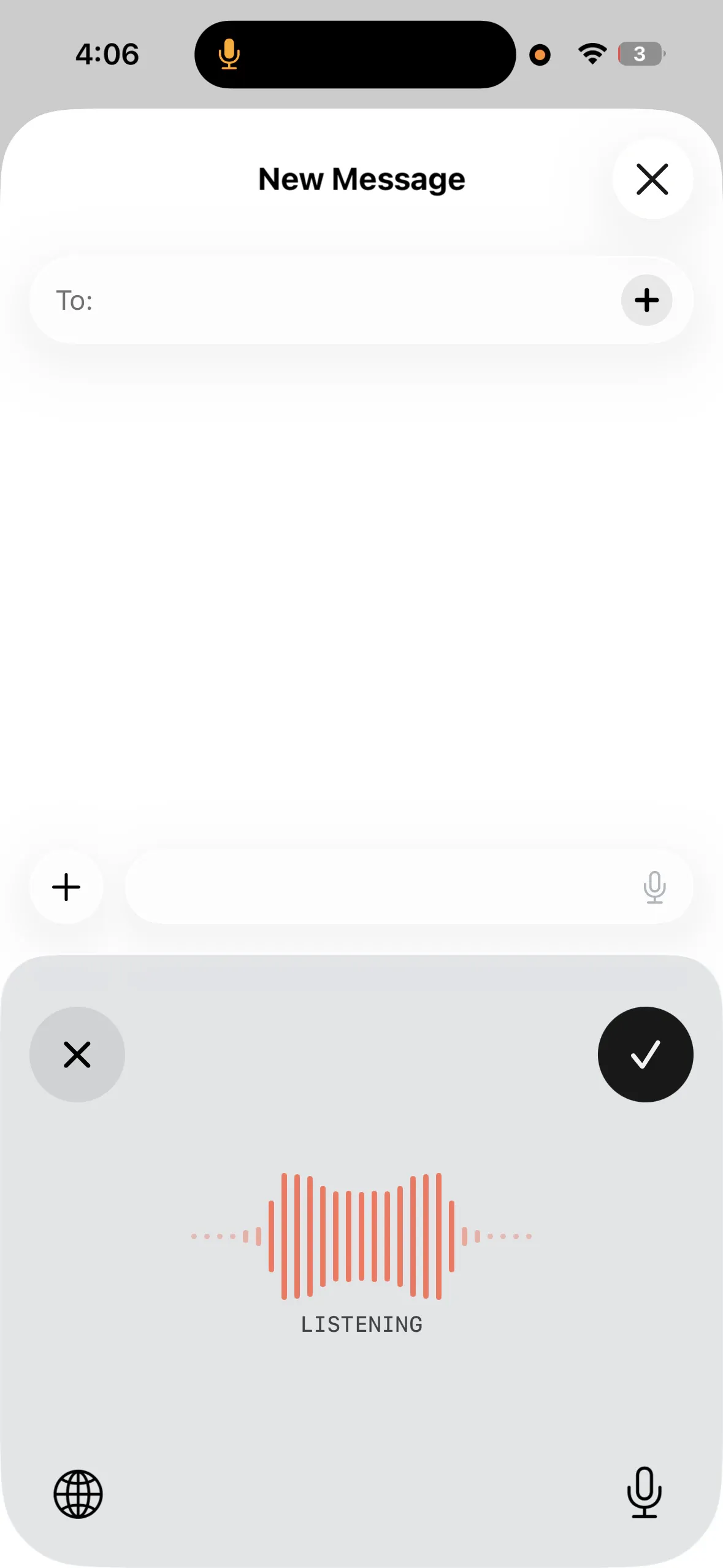
5 / 16Listening, with one tap to cancel or keep it.
Decisions and trade-offs
- Two streams instead of a diarization model. A meeting records your microphone and the computer’s audio as two separate streams and transcribes each on its own. You and the other side of the call are told apart by where the sound came from, so speaker labels need no diarization model and the transcript is live during the call.
- Audio goes to disk, not memory. Cassette, the meeting recorder I built before Walkie, held about 460 MB of audio in memory per hour. Walkie streams it to disk, so a crash leaves the recording intact and the meeting marked as interrupted rather than lost.
- No virtual audio driver. On macOS 14.2 and later, the call’s audio comes through a Core Audio process tap, so there’s nothing extra to install and no ScreenCaptureKit. It’s loaded at runtime, so the app still opens on older versions. Windows uses WASAPI loopback, and Linux the PipeWire or PulseAudio monitor.
- Nothing learned without a yes. When you fix a pasted word, Walkie asks before adding it to your dictionary, and Apple Intelligence screens out corrections that aren’t really corrections first. A dictionary that quietly learns the wrong thing is worse than none.
- Fail toward the device. When the weekly Cloud Mode allowance runs out, Walkie switches to on-device dictation straight away instead of stopping. A meeting recorded on the device is never sent to the cloud afterwards.
- Formatting per app. Emails get a greeting and a sign-off, Slack messages lose their trailing full stop, and code editors get the lightest touch.
- The agent stays second. Ask Agent, which answers out loud using the AI tools you already pay for, is a lightly used beta. The site and the app lead with dictation, meetings and reading, the things people come back for.
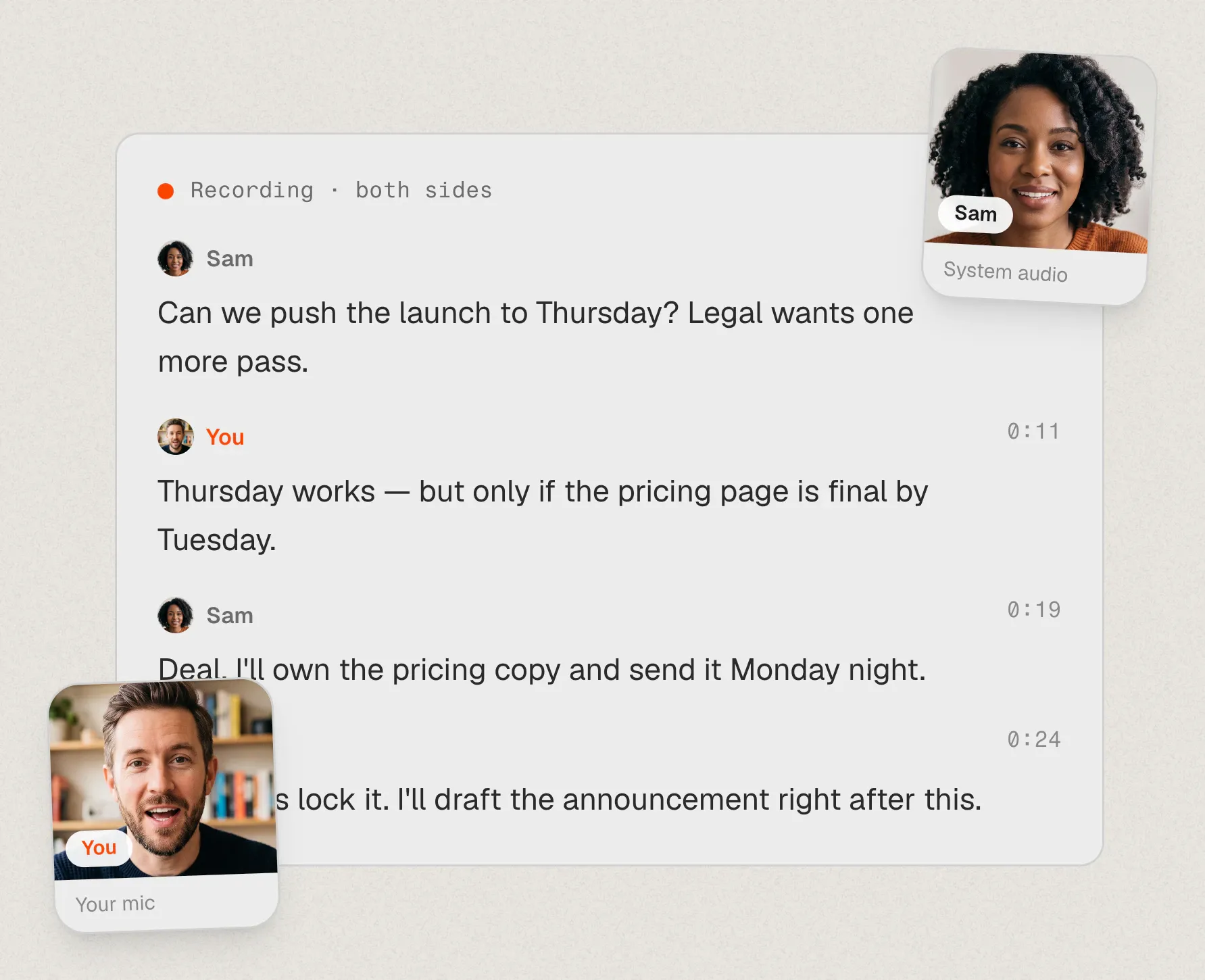
6 / 16Both sides of a call, told apart by where the sound came from (the site's recreation). 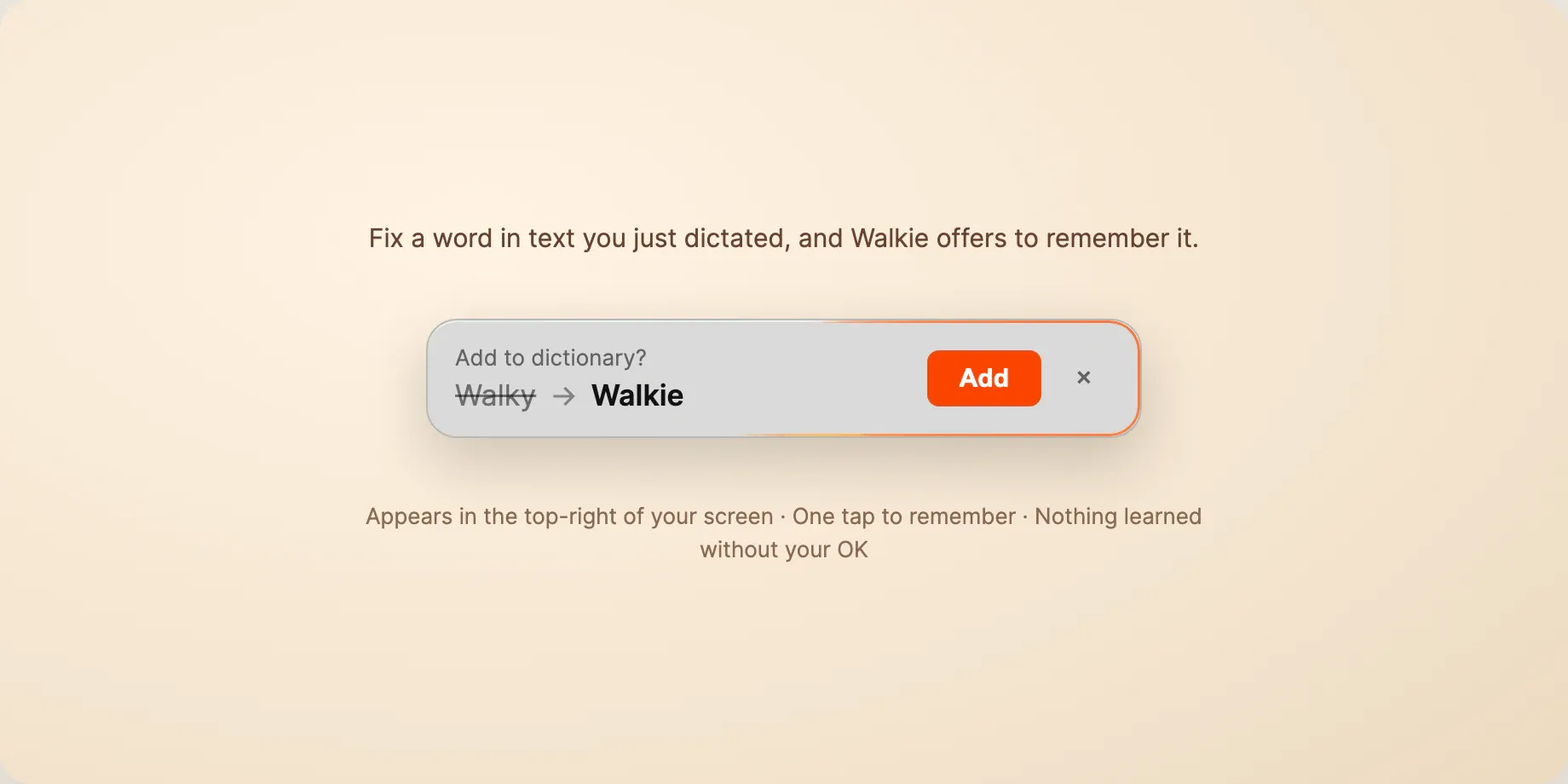
7 / 16Nothing joins your dictionary until you say yes. 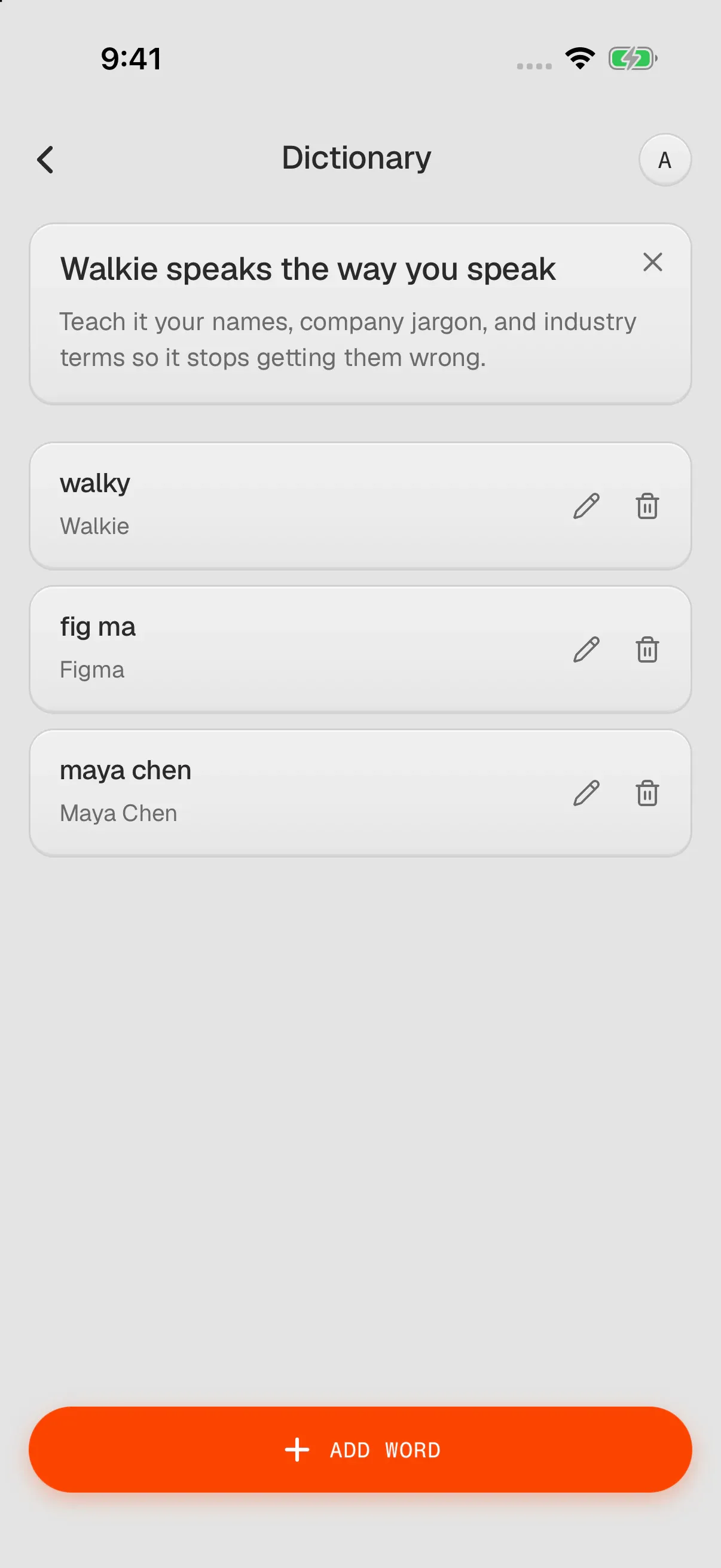
8 / 16The dictionary on iPhone: names and terms, exactly right.
How it’s built
The desktop app is Tauri: a Rust core handles audio capture, voice activity detection, transcription and pasting, under a React and TypeScript interface. On-device speech runs Parakeet by default, with Whisper and Moonshine as options. In my own test on an M4 MacBook Pro (synthetic voices, 19 September 2026), Parakeet V3 took a median 157 ms per clip, ran 32.6 times faster than real time and had a 4.4% word error rate, in 478 MB, across 25 European languages. Cloud Mode runs Whisper Large V3 Turbo on Groq. Cloud Mode, cloud voices and the voice agent go through Cloudflare Workers proxies, with accounts and sync on Supabase.
On mobile, the companion app is Expo and React Native, but dictation lives in native code: a Swift keyboard extension on iPhone and a Kotlin input method on Android. The MCP server ships inside the desktop binary and reads the meeting database on your disk, with no server in between.
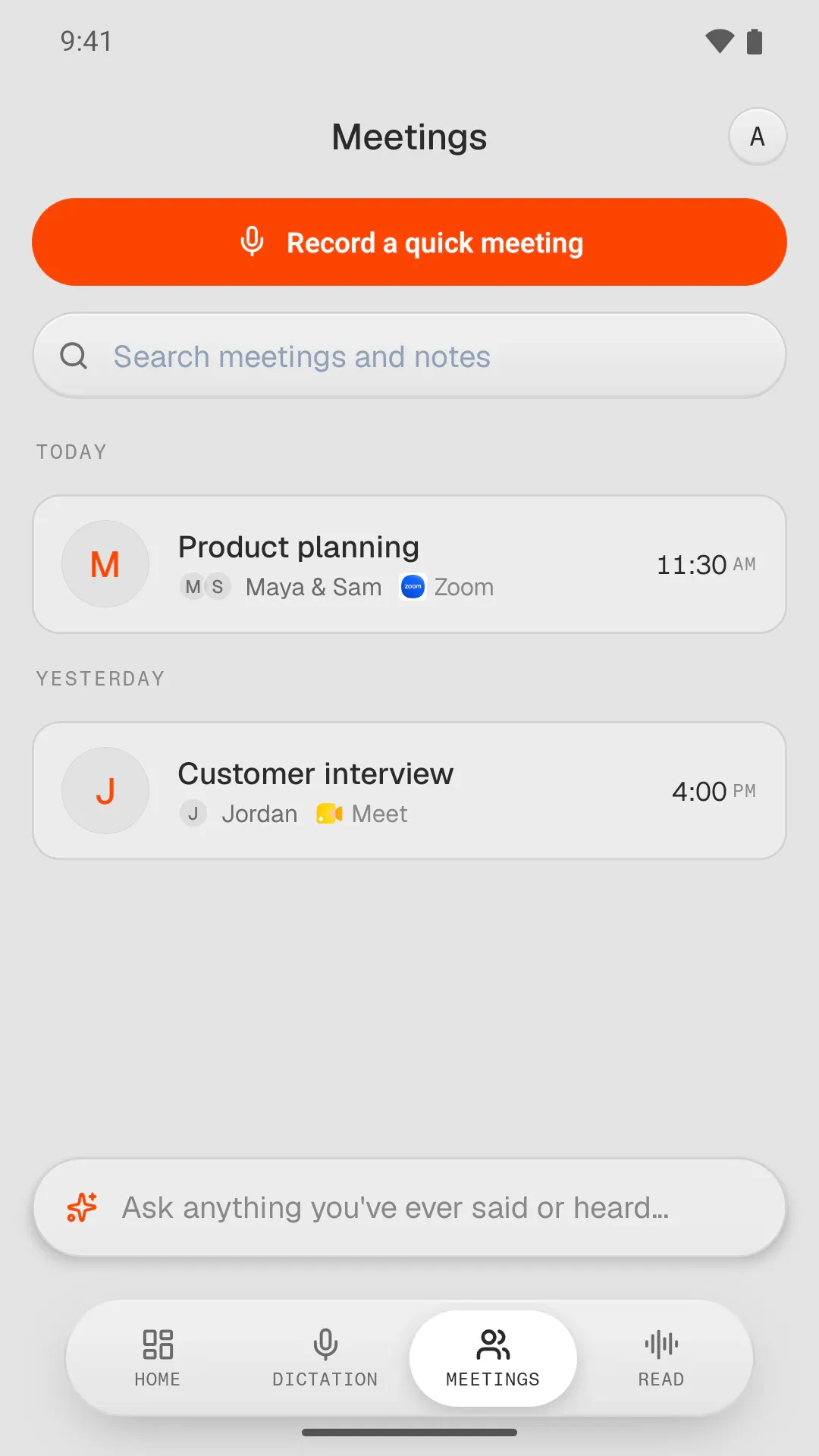
9 / 16Meetings on Android, in the companion app. 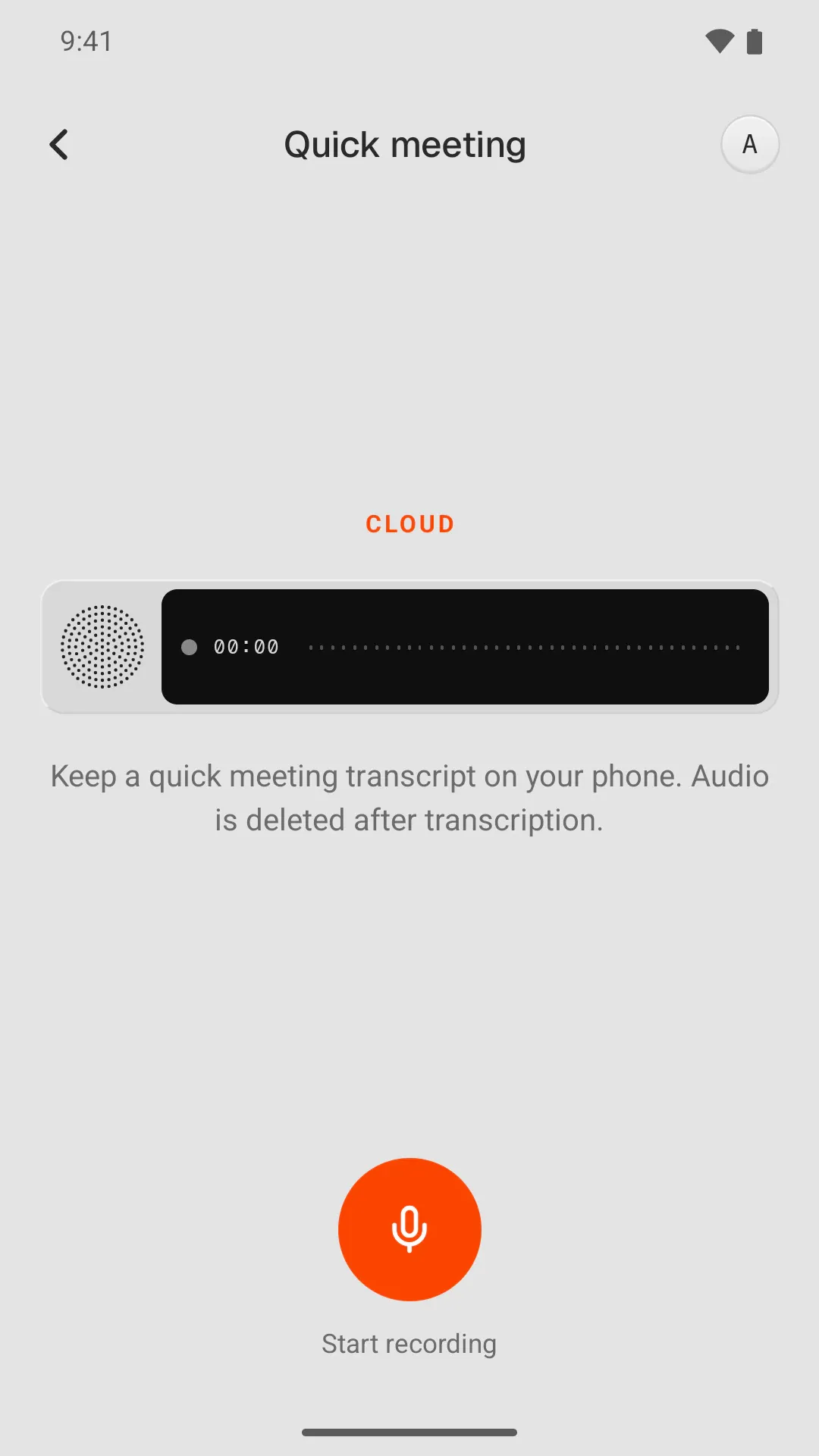
10 / 16A quick meeting on the phone: audio deleted after transcription.
Where the AI stops
Each AI step in Walkie is a choice you can see. You pick the mode when you set it up: On-Device Mode runs the speech model on your computer, with Wi-Fi off and no account, and Cloud Mode sends the clip for faster transcription and cleanup, then discards it. Meetings are recorded without a bot joining the call, and nothing is added to your dictionary until you say yes.
The MCP connector gives an AI assistant read-only access to your meetings. It ships inside the desktop app and reads the meeting database on your disk, with no server in between.
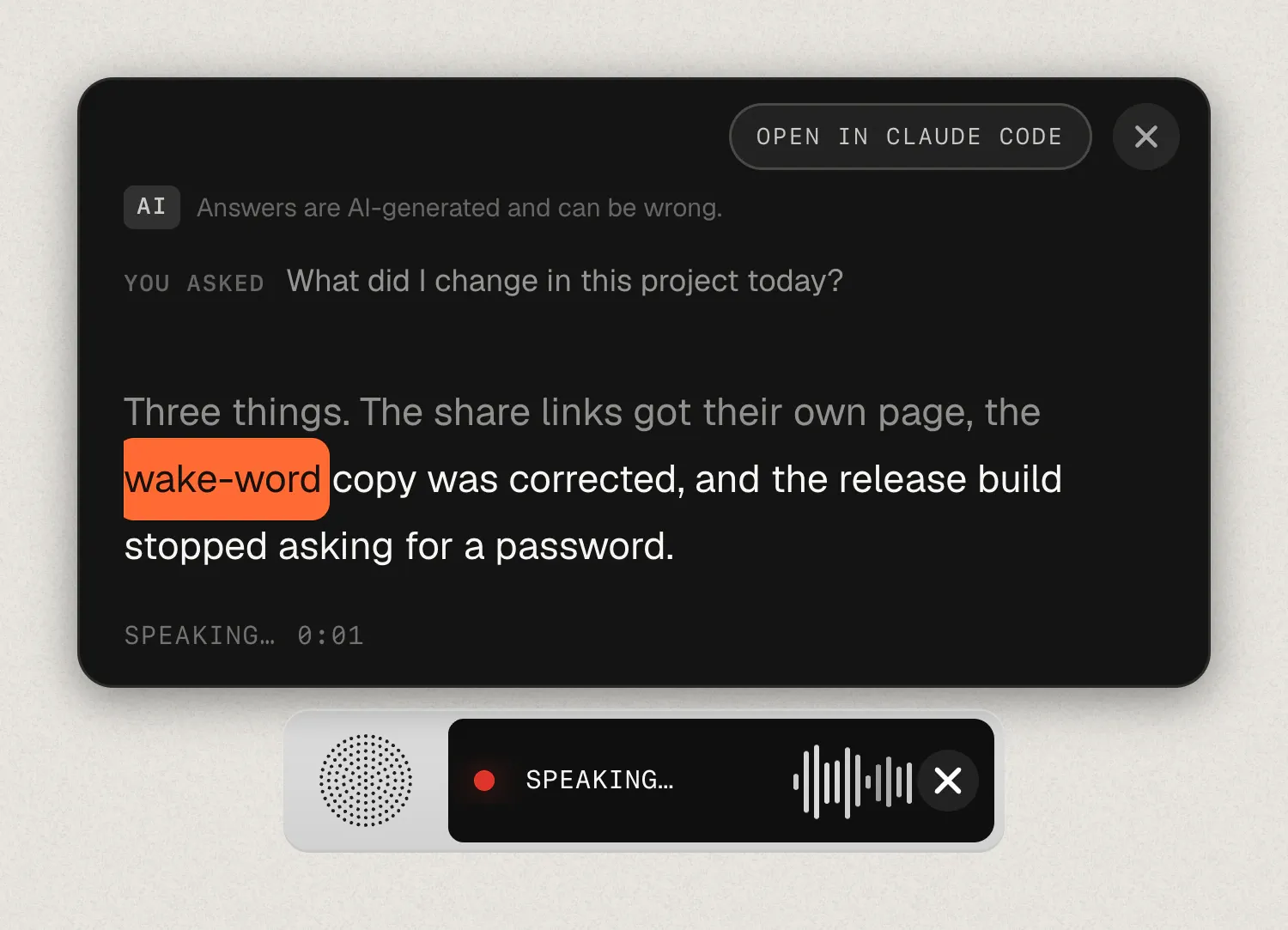
11 / 16Ask Agent answers out loud, with the AI tools you already have (the site's recreation). 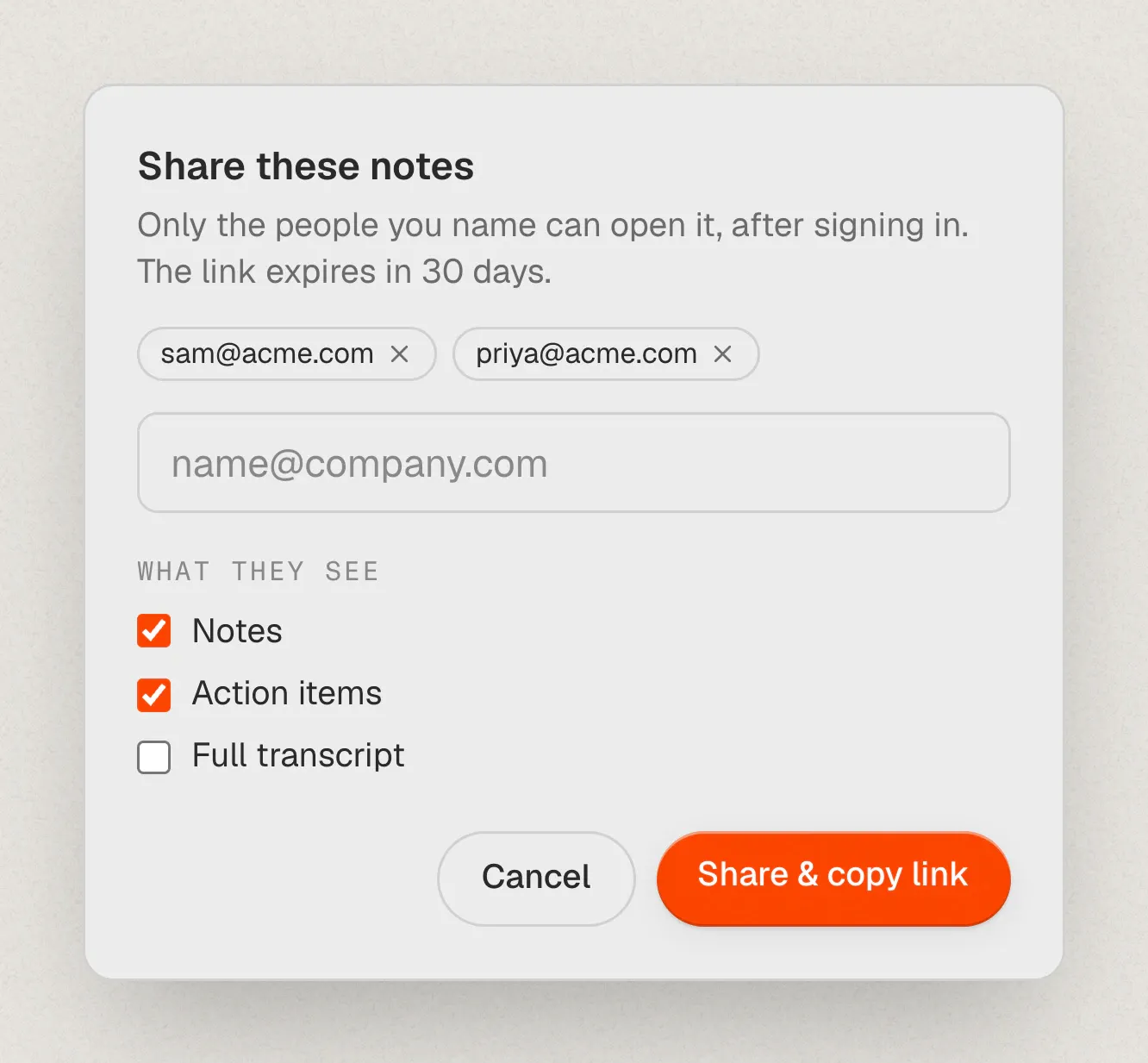
12 / 16Sharing a meeting: named people only, and you choose what they see (the site's recreation).
Timeline
- February 2026. The fork, and the first commit.
- April. Ask Agent arrives, and Walkie reaches #4 Product of the Day on Product Hunt.
- 2 June. Walkie 1.0.
- July. The iPhone app and its keyboard; Read Aloud on the Mac.
- August. Meetings, ported from Cassette and finished.
- September. Shared meetings, chat with a meeting, imports from Granola and Otter, a Team plan, and an on-device reading voice.
- October. Meetings on the phone, and Walkie on Google Play.
Where it is now
Launched. The desktop app is on version 1.20.11 for Apple Silicon Macs and Windows 10+, with an experimental Linux build. The phone app is on the App Store and Google Play. On-device dictation is free with no word limit, and the free plan includes 2,000 Cloud Mode words a week. Pro, Work and Team plans ($7.50, $17.50 and $34 a month per person, less when billed yearly) add unlimited Cloud Mode, meetings, more reading time and a shared team workspace. The MCP connector is open source at github.com/adamperlis/walkie-mcp.
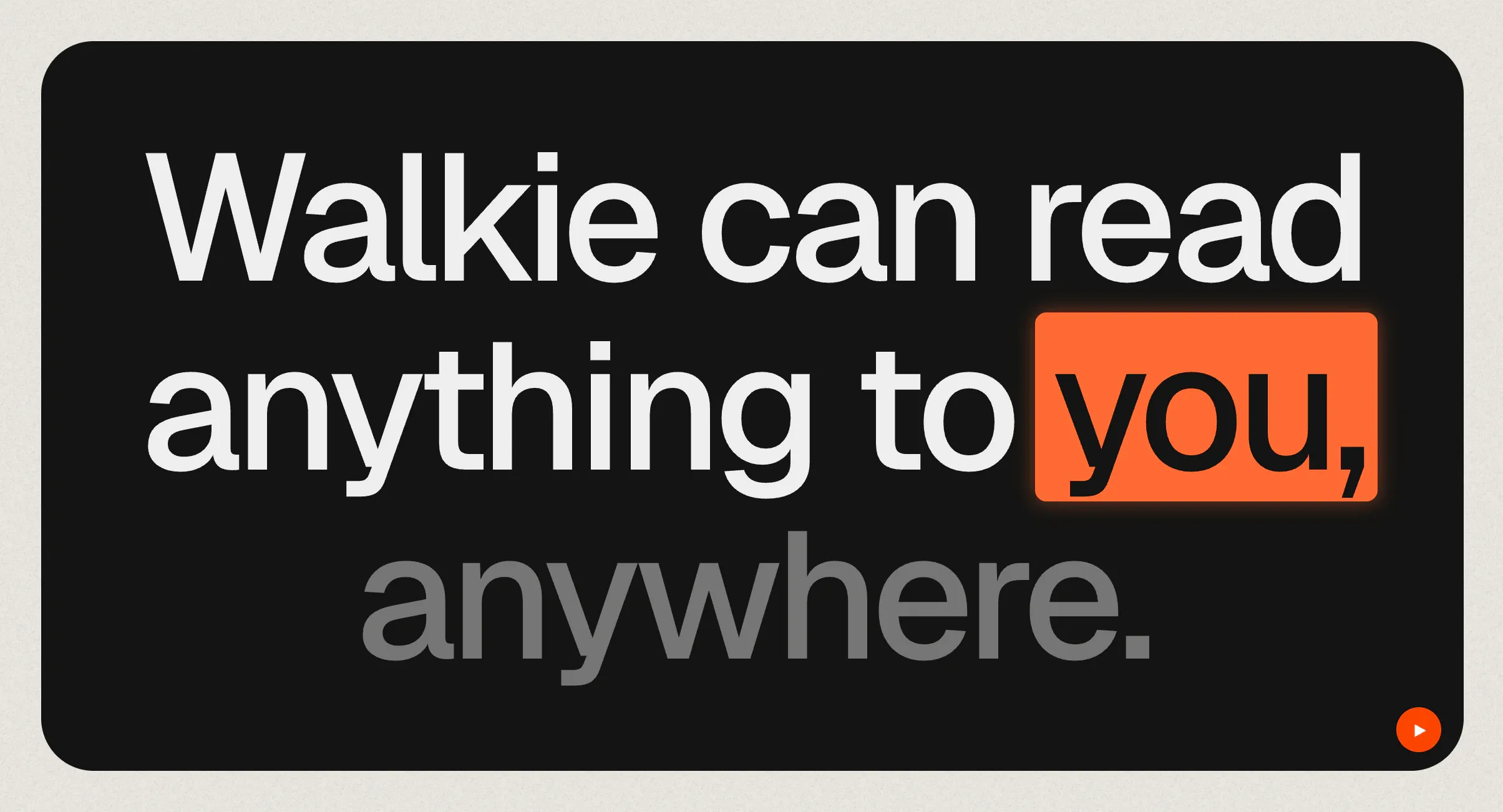
13 / 16Read Aloud, highlighting each word as it's spoken (the site's recreation). 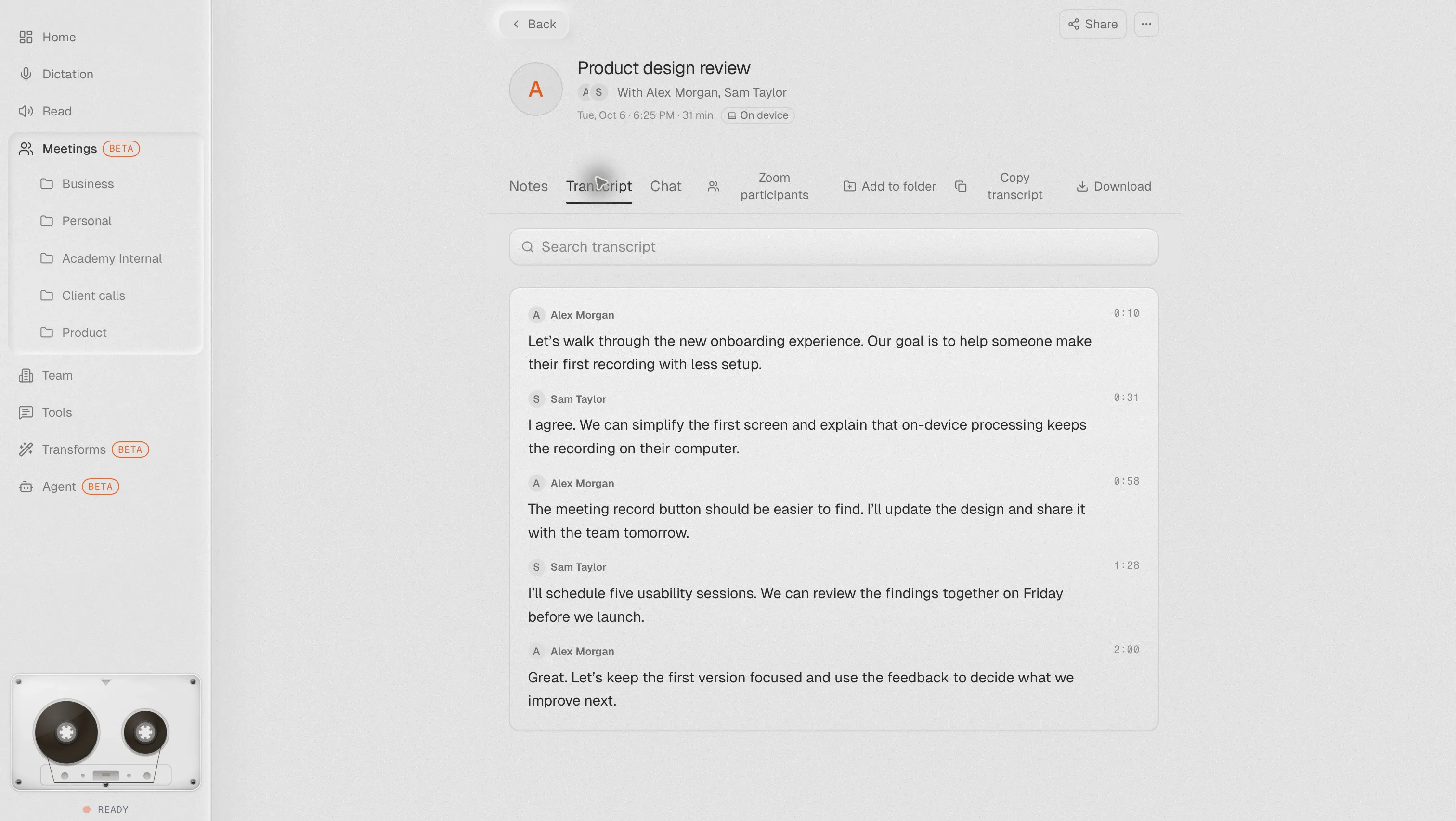
14 / 16A meeting transcript with speaker names, in the desktop app. 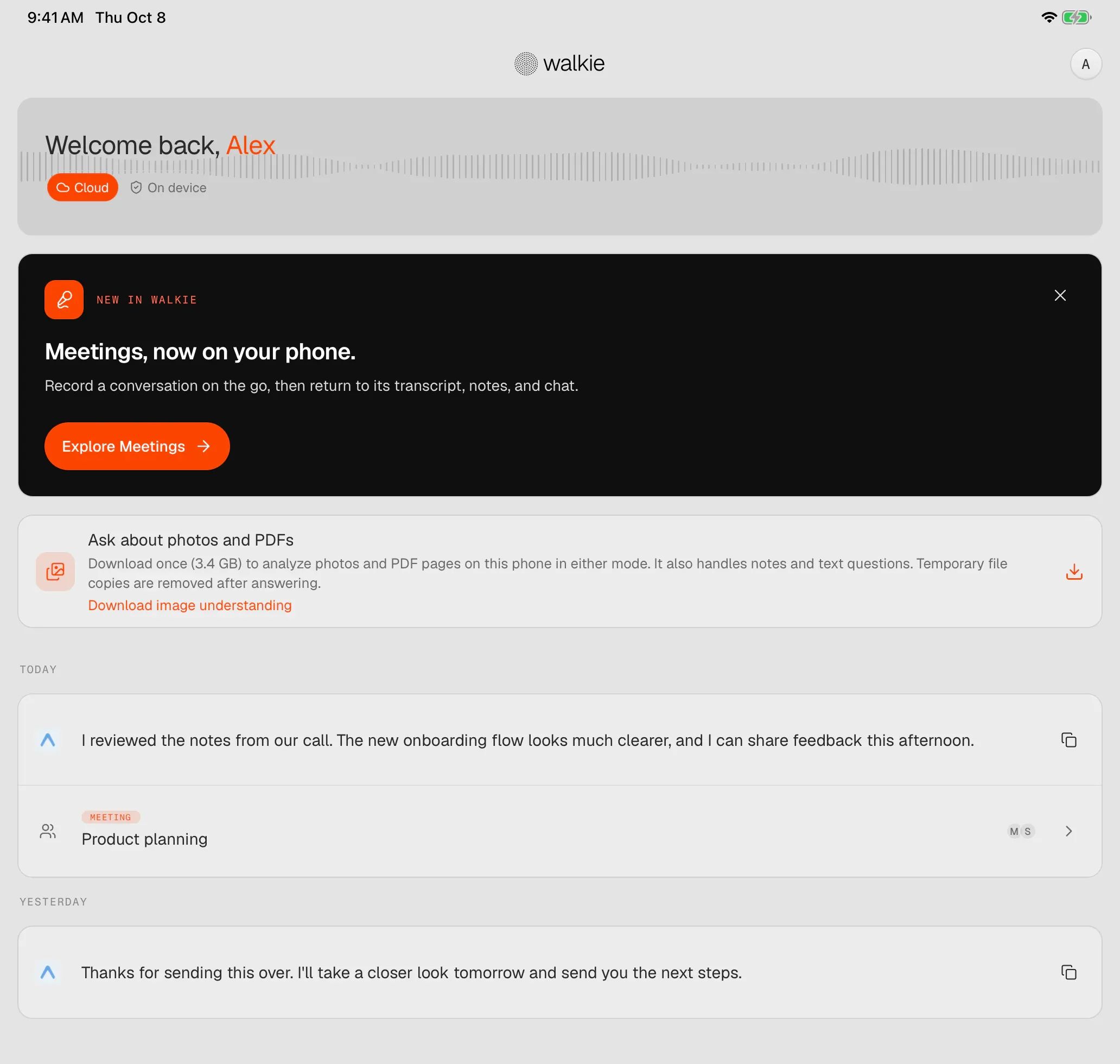
15 / 16Walkie's home screen on iPad. 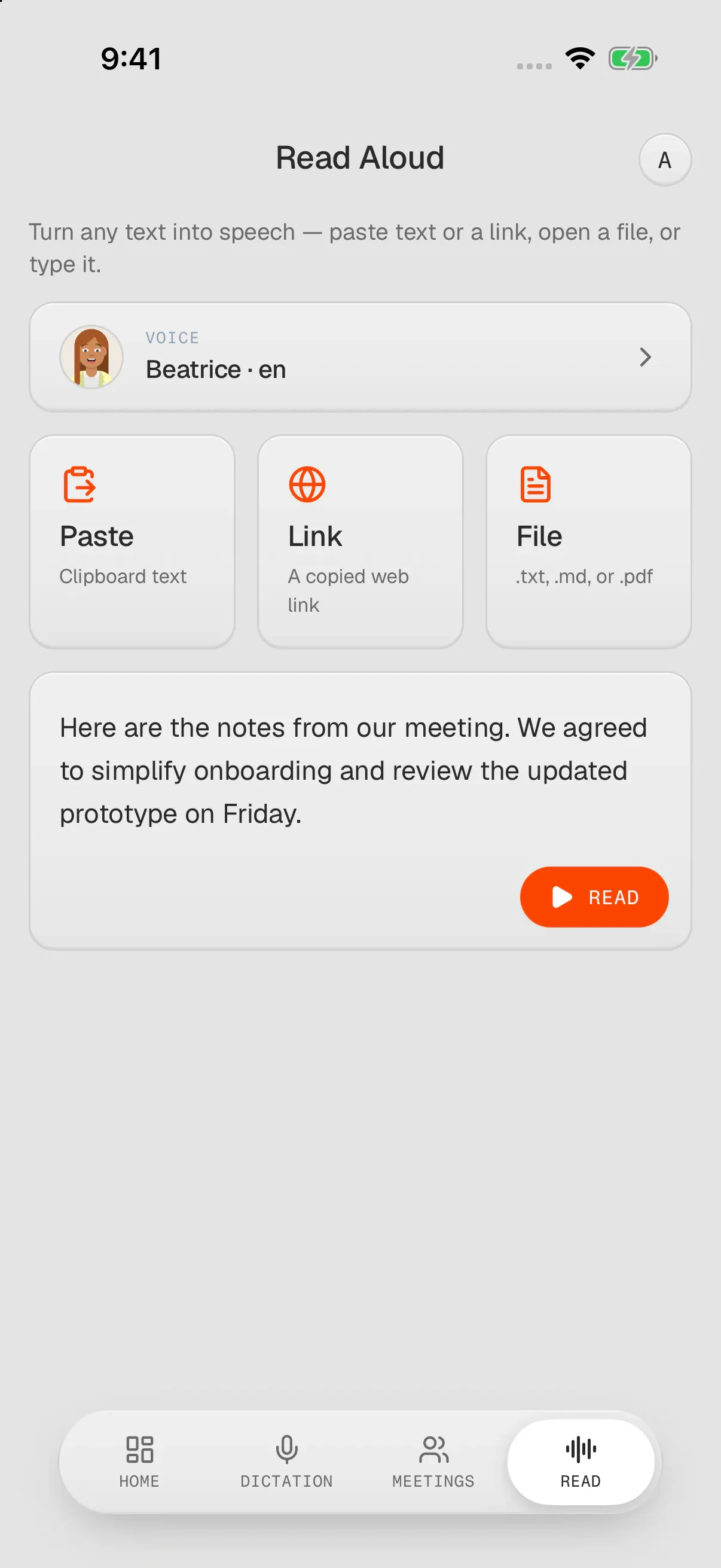
16 / 16Read Aloud on iPhone: paste it, link it, or open a file.