Camcorder. A screen recorder and editor that makes webcam and product-demo video look polished.
- Role
- Founder · product, design and engineering
- Built on
- OpenScreen by Siddharth Vaddem and contributors (MIT) ↗
- Platform
- Mac (Apple Silicon)
- Status
- Building
- Stack
- Electron, React, TypeScript, Rust, Next.js, Better Auth, Postgres, Cloudflare R2
Overview
Camcorder is a screen recorder and editor for product demos and webcam video. A raw capture goes in and comes out ready to post, whether that’s on X, YouTube, a docs page or a landing page, and one step turns it into a link people can watch, react to and comment on. It’s for people who show software on video, in demos, tutorials and launch clips, and want it to look considered without learning a full video editor. Screen Studio defined the category; Camcorder is my take on it.
My role
Camcorder is built on OpenScreen, an open-source recorder created by Siddharth Vaddem and continued by its contributors under the MIT licence. I forked it in September 2026, at version 1.11. The recording engine, the native Rust compositor, on-device captions, the chat agent and the command-line tool came with it, built by OpenScreen’s contributors.
What I added is the product on top. In one week I redesigned the whole app, reworked the timeline and the shadow tools, and built accounts, sharing, backup, updates and an MCP connector, across 162 commits of my own, most of them written with Claude Code, and three releases on 15 September.
What it does
- Records a window or the whole screen, with mic, system audio and a webcam picture-in-picture, from a pre-flight stage and a floating recorder bar.
- Zooms that follow your cursor, plus manual zooms and pans, cursor smoothing and click effects.
- Frames the shot with backgrounds, gradients, rounded crops, motion blur, and a Shadow Studio for the screen and the webcam.
- Edits by transcript. Captions are transcribed on-device; delete words in the transcript to cut them from the video.
- Edits by chat. Describe a change and it lands on the timeline as real, undoable edits. You bring your own model key, and it’s off by default.
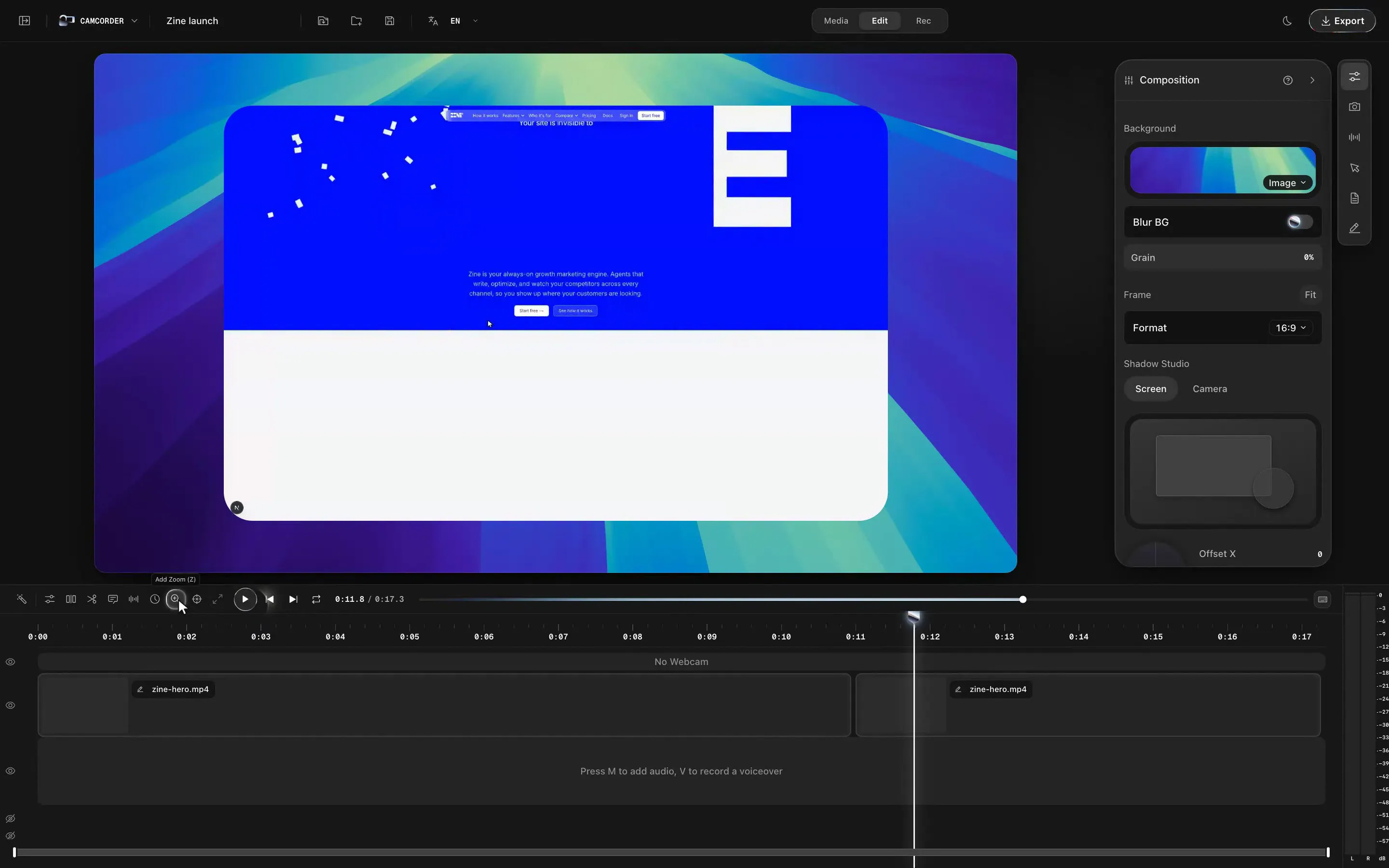
- A multi-track timeline. Clips keep their place, split at the playhead, shuttle with J, K and L, and music and voiceover get their own rows.
- Shares in one step. Export, upload and copy a link at once; viewers can react and comment on the watch page.
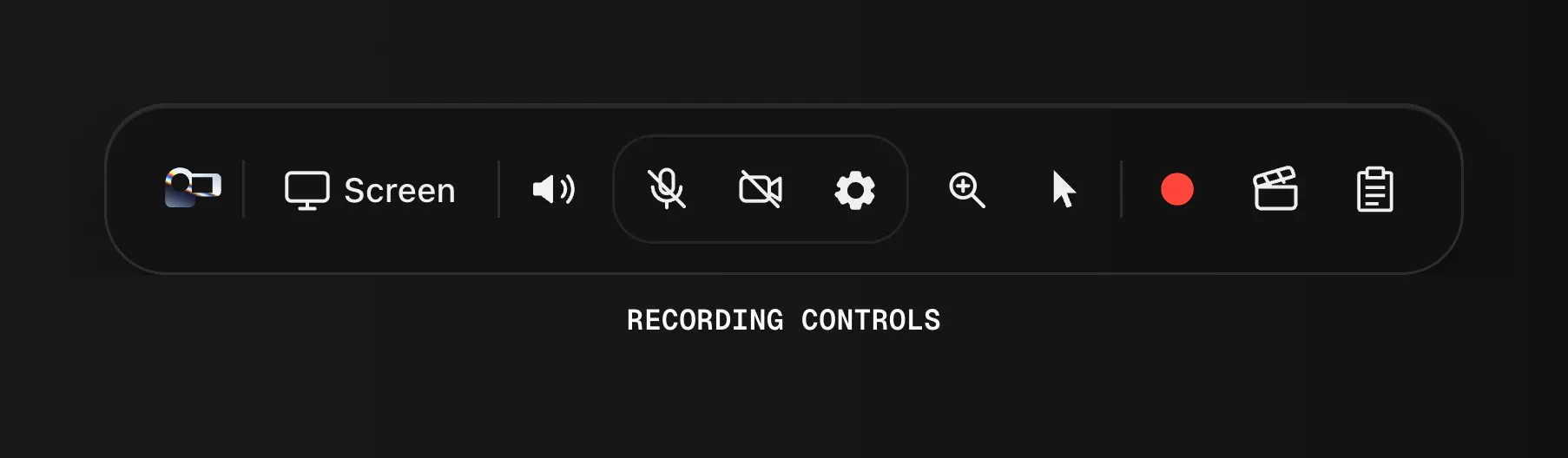
1 / 8The floating recorder bar (the site's recreation). 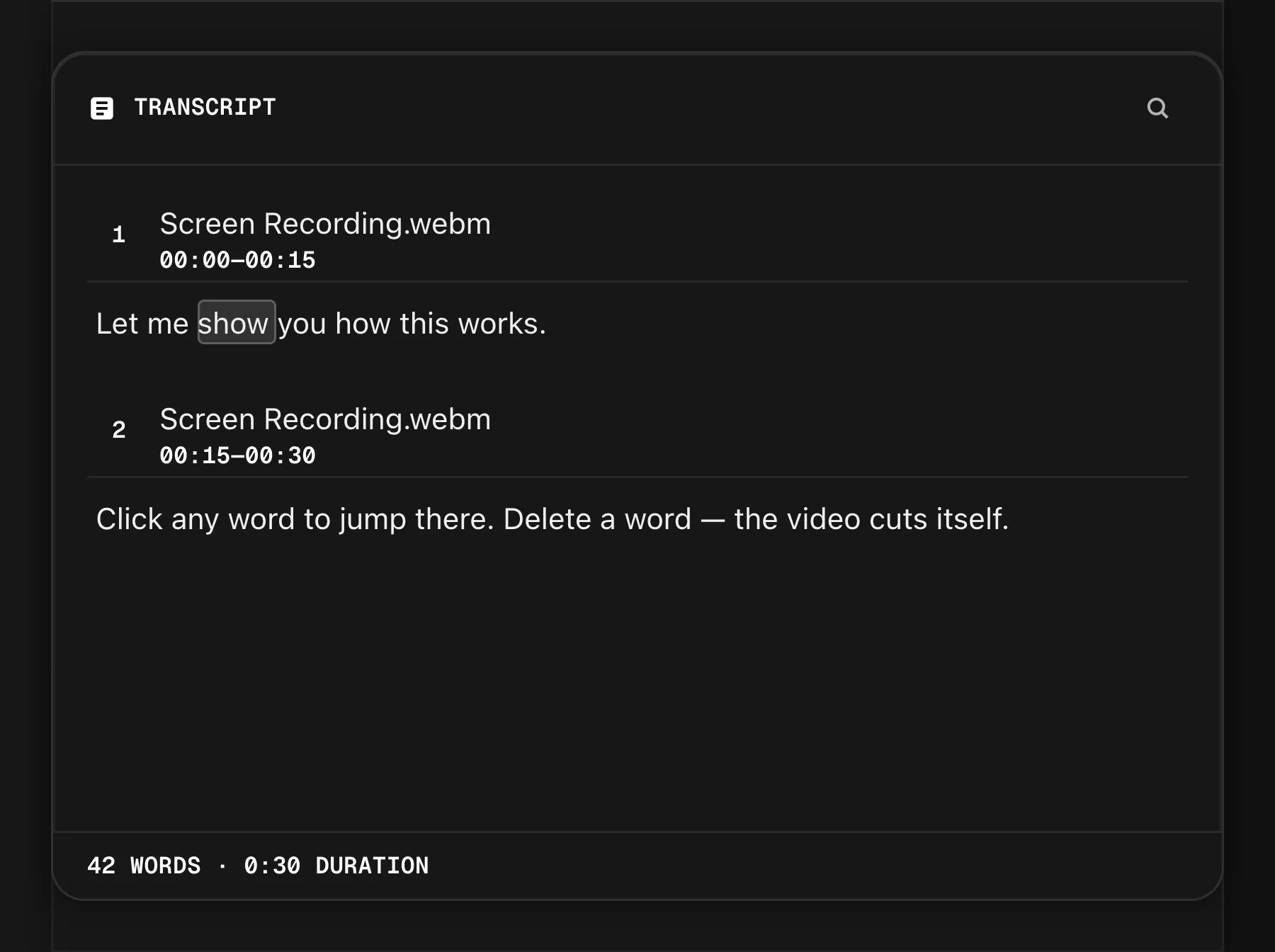
2 / 8Edit by transcript: delete a word and the video cuts itself (the site's recreation). 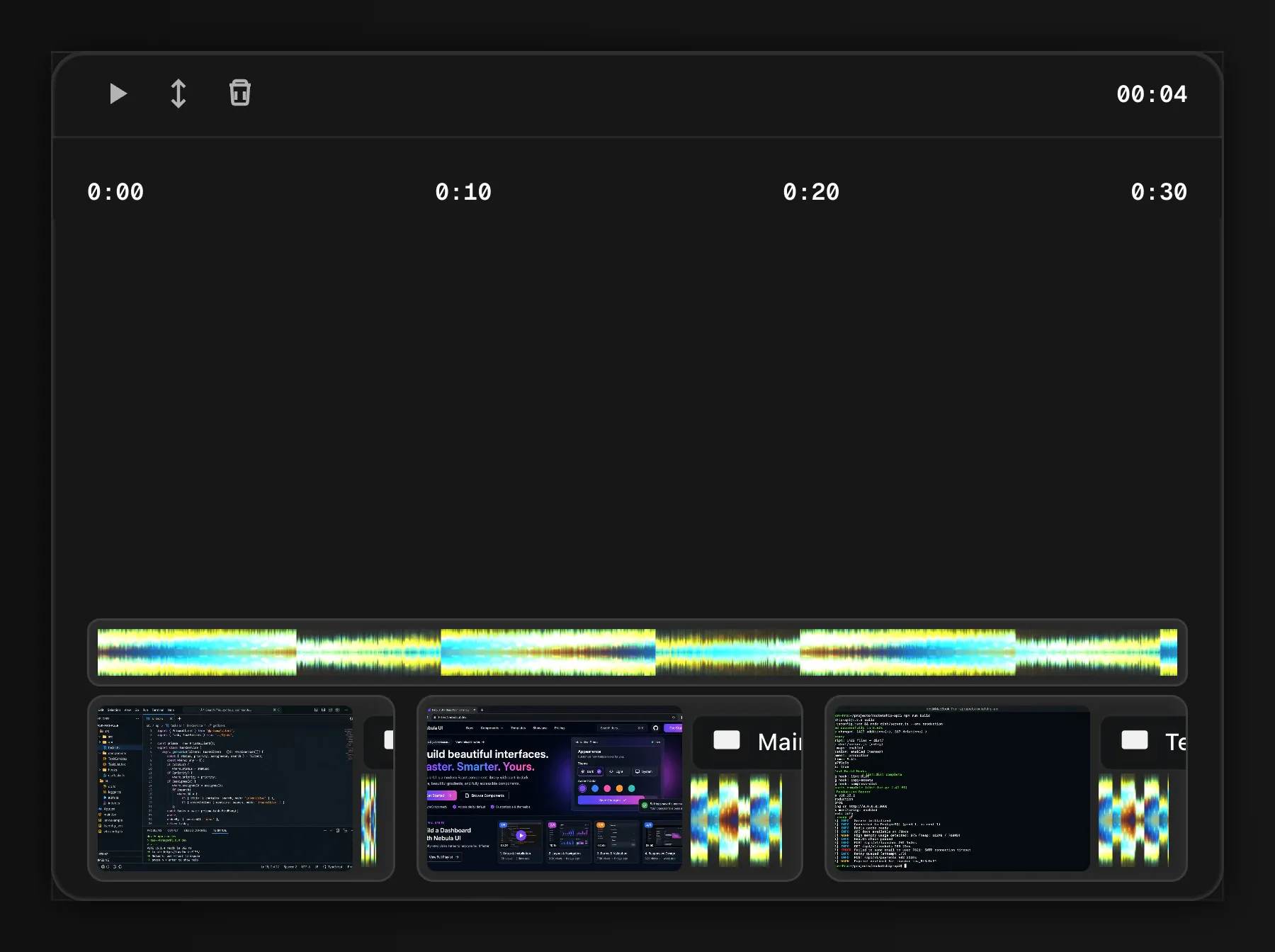
3 / 8The timeline: waveform above, clips below (the site's recreation).
Decisions and trade-offs
- Red means recording. The redesign took every accent colour out of the interface. The tally-light red is kept for one thing only: starting a recording. Everything else is a near-black ground on an 8px grid with concentric corner radii, Inter for words and Geist Mono, in capitals, only for labels and readouts.
- One material, everywhere. Primary buttons, the scrub bar and the mark share a real metal shader, and all 34 controls share one hover ring, so the app has a single way of saying “this is live”.
- A loader that tells the truth. While an export renders, the picture resolves with its real progress instead of a spinner that loops forever.
- Shadows you judge together. Shadow Studio edits the screen’s shadow and the webcam’s on one stage, so they can be judged side by side. Values are stored as a fraction of the frame, so a shadow looks the same at any export size, and the defaults reproduce the old ones exactly, so no existing project changed.
- A timeline that stays where you put it. OpenScreen’s rule was that clips are always contiguous. I reversed it: clips keep their place and a trim leaves a gap, the way editors behave. Upper tracks now cover the ones below, and redrawing the waveform went from 70 milliseconds to a few.
- Video on R2, not a video platform. The app already exports a finished MP4, so paying for transcoding and a hosted player bought nothing, and R2 charges nothing for egress, which is the cost that makes video hosting expensive. The trade is no adaptive bitrate, which is fine for screen recordings sent to colleagues. The bucket stays private: every view gets its own short-lived link, so revoking a share actually revokes it.
- Off until you say so. The MCP connector, which lets Claude Code edit the open project, is off by default, listens on a private local socket, and lands each call as a single undo step. Crash reports are off by default too.
4 / 8One hover language: the same metal ring on all 34 controls. 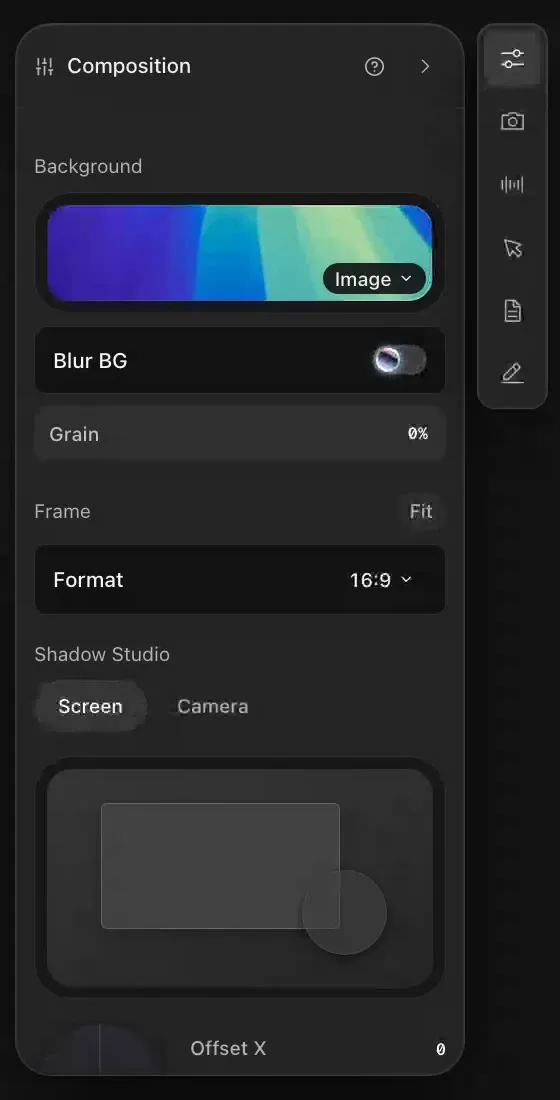
5 / 8Shadow Studio: the screen's shadow and the webcam's, judged together. 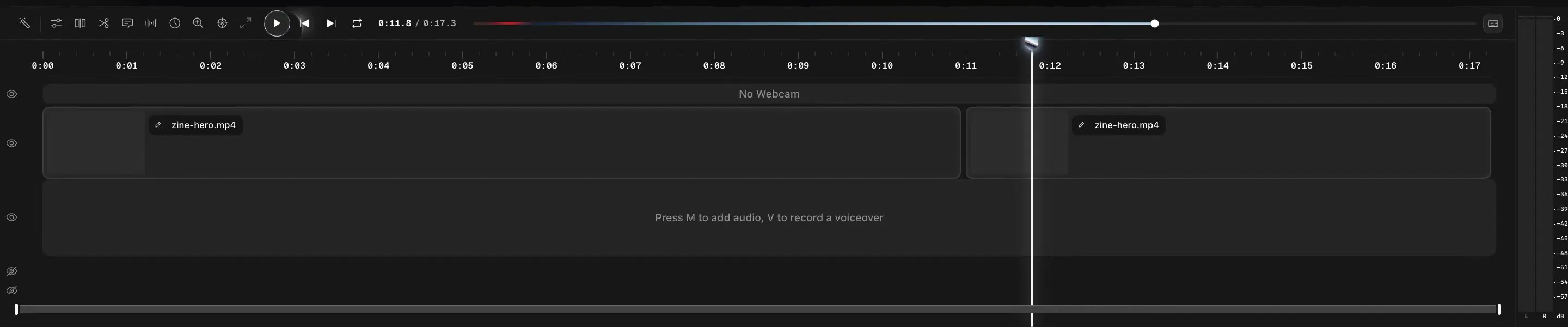
6 / 8A timeline that isn't magnetic: clips stay where you put them.
How it’s built
Camcorder is an Electron app with a React and TypeScript editor. Recording uses each platform’s native capture, and preview and export run through the same native Rust compositor, so the frame you see in the editor is the frame the export writes. On a Mac the webcam is recorded as its own file next to the screen recording and composited as picture-in-picture, with a segmentation mask that the same shader applies in preview and export.
The accounts and sharing layer is a Next.js service with Better Auth, Neon Postgres and Resend, with the video on Cloudflare R2. A view counts once per viewer per day, anyone can react, and signed-in viewers can pin a comment to a moment. Projects back up once your edits have settled for twenty seconds, upload only recordings the account doesn’t already have, and keep a copy when two Macs disagree.
Timeline
- 11 September 2026. The fork, from OpenScreen 1.11.
- 12 September. A new design foundation, the Camcorder mark, Shadow Studio and share links.
- 14 September. Red means recording, the metal material, and a timeline that isn’t magnetic.
- 15 September. Versions 1.12.0 to 1.12.2, with one-step sharing, backup, updates from Camcorder’s own feed, a first-run welcome, and the MCP connector.
Where it is now
In active development. Version 1.12.2 is packaged as a signed, notarized .dmg for Apple Silicon Macs on macOS 13 or later, in 13 languages, and updates itself from Camcorder’s own feed. The code builds for Windows and Linux, but those builds aren’t published yet.
7 / 8Editing a recording, start to finish. 8 / 8The brand system: a mark on a 24-unit grid, Tally red and Geist Mono.