Clicker. Turn your iPhone into a trackpad, keyboard and universal remote for your Mac, Apple TV, Fire TV and Google TV.
- Role
- Founder · product, design and engineering
- Platform
- iPhone, Mac
- Status
- Building
- Stack
- Swift, SwiftUI, Network framework and Bonjour, Core Graphics events, StoreKit 2, Sparkle, XcodeGen, fastlane
Overview
Clicker turns an iPhone into a trackpad, keyboard and universal remote for a Mac, Apple TV, Fire TV and Google TV. It’s a SwiftUI app for iPhone plus a small menu-bar companion app for the Mac: one pocket-sized surface that moves your cursor, types for you and drives every screen in the room.
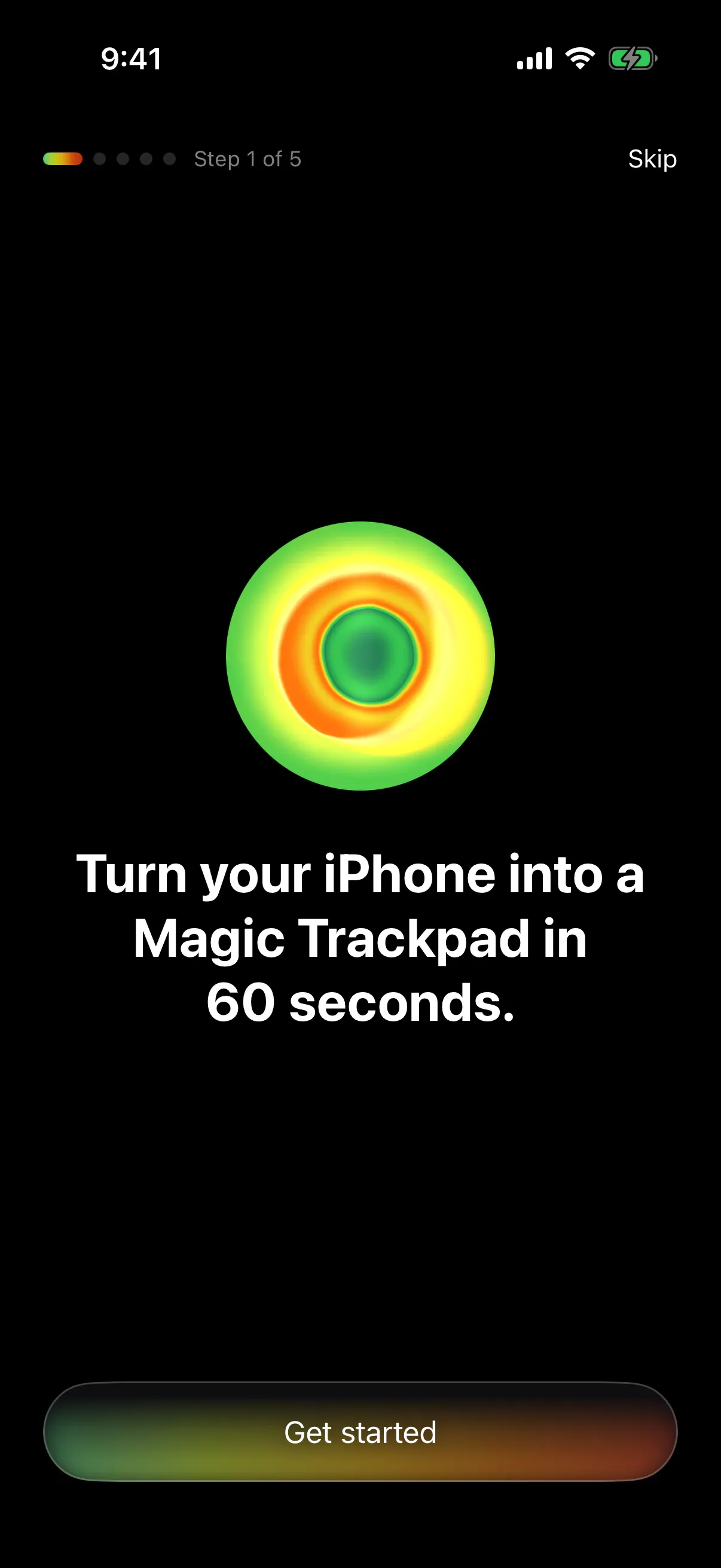
1 / 8The app's first screen: the thermal disc and the promise.
Why I built it
I wanted one pocket-sized surface that could stand in for whatever input device is missing: a mouse that dies mid-task or gets left behind, a remote lost in the couch, a room to present to with no clicker. Your phone is always with you, and it’s almost always charged.
My role
I designed and built both halves on my own, the iPhone app and the Mac companion, along with the site, the icon and the pricing. The first version took a week in June 2026, under the working name MouseMagic, written with Claude Code as my pair.
What it does
- Trackpad: move, left and right click, two-finger scroll with momentum, pinch to zoom, three-finger system gestures and drag to select, with finger trails and haptics.
- Keyboard: the full system keyboard with emoji and dictation, ⌘ shortcuts, arrow and function keys, and a number pad, sent to whichever device you’re controlling.
- Remote: a D-pad with Back, Home and Settings, and the iPhone’s own volume buttons driving the TV.
- Presenter: drive slides from across the room, with a live preview of the current slide on the phone.
- Setup that finds the TV for you: it scans the local network for Fire TVs and explains what’s blocking a connection when one fails.
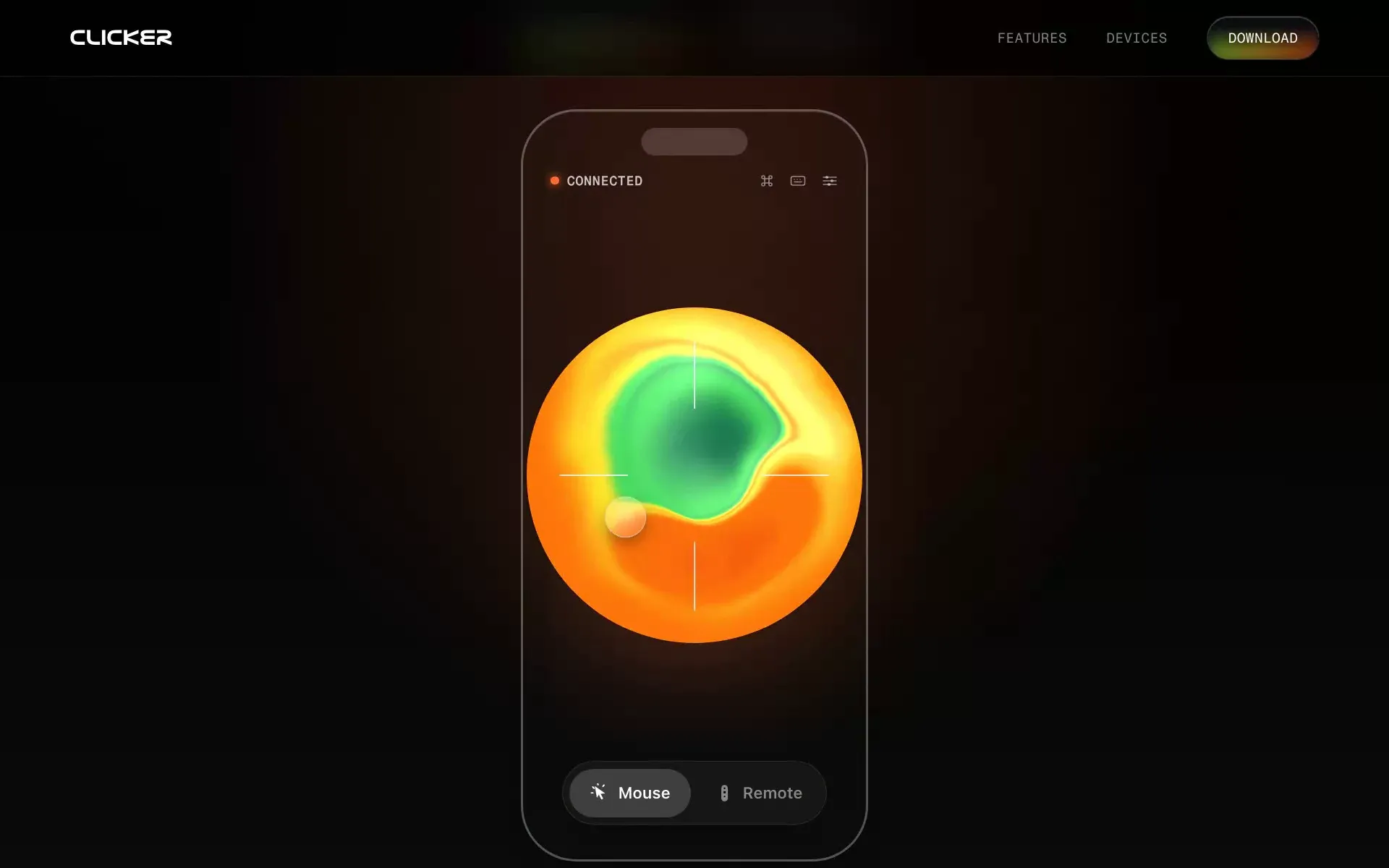
2 / 8Mouse mode, with shortcuts and the keyboard a tap away. 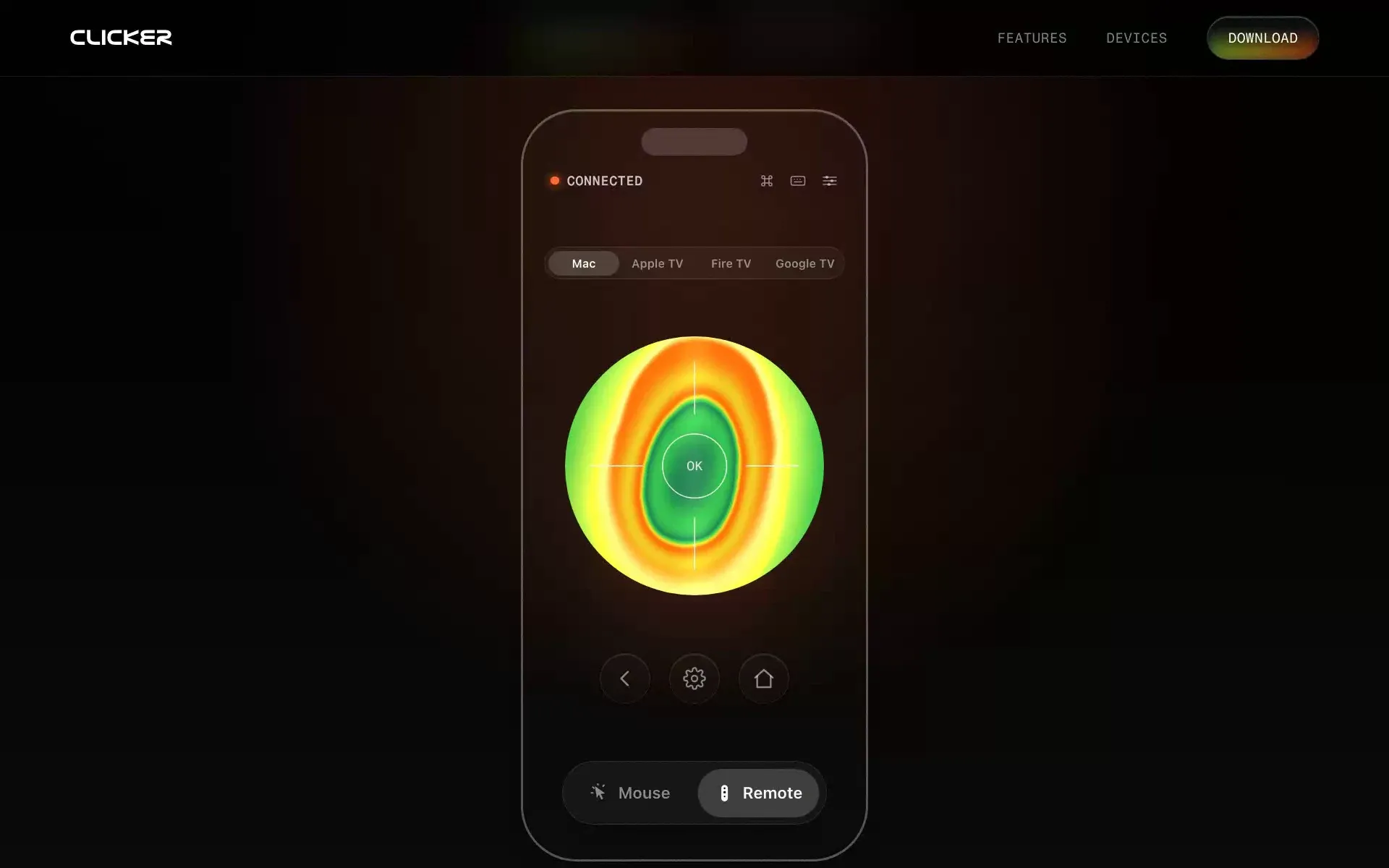
3 / 8Remote mode: pick a device, then steer with the disc.
Decisions and trade-offs
- The paywall moved three times. It started as an annual subscription, became a 14-day trial with a $4.99 unlock, and settled on a $4.99 one-time unlock with no trial. The guided setup is the free taste, and the paywall arrives at the moment of peak value: right after the cursor first moves on your Mac. If the App Store can’t load, the app lets you in rather than locking you out.
- UIKit under SwiftUI. SwiftUI gestures can’t report how many fingers are down or where a tap landed, so the trackpad is built on UIKit’s touch handling inside a SwiftUI app.
- The volume buttons as a remote. The app reads the hardware buttons through the system volume, puts it back where it was each time, and hides the system’s volume overlay, so the buttons drive the TV instead.
- One disc, two platforms. The thermal disc you touch is a Metal port of the WebGL shader on the website, so the app and the site look exactly alike.
- Precision while you drag. Holding the button drops pointer speed to 60% and caps acceleration, so dragging a window or selecting text lands where you mean. Scroll gestures always close shortly after your fingers stop, which fixed scrolls sticking to the window they started in, and a small buffer smooths over the stalls that Wi-Fi delivery adds.
- “Connected” means connected. The app only says so once the Mac has acknowledged the pairing, and when something’s wrong a diagnosis engine names the cause and walks you through the fix.
- The audience’s slide, not your notes. Presenter mode captures the screen showing the frontmost app’s largest window, at two frames a second, and only while the Present tab is open.
How it’s built
Both halves are Swift. The Mac companion is a Swift package that lives in the menu bar, advertises itself over Bonjour, and turns messages from the phone into real input events through Core Graphics. That needs Accessibility access, which the App Store sandbox doesn’t allow, so the companion ships as a notarized download and updates itself with Sparkle.
Fire TV and Google TV don’t need the Mac at all. The iPhone app carries its own ADB client in pure Swift, covering the RSA handshake and the wire protocol, so the phone talks to the TV directly over Wi-Fi. It keeps one shell open to the TV, which cuts the lag on D-pad presses. Apple TV’s protocol is closed, so it goes through the Mac companion, paired with the PIN the TV shows.
The companion won’t apply any input until the phone enters an eight-character pairing code shown in its menu bar, checked in constant time, so nobody else on the Wi-Fi can drive your Mac. The link between them is plain TCP on your local network for now; encrypting it is planned.
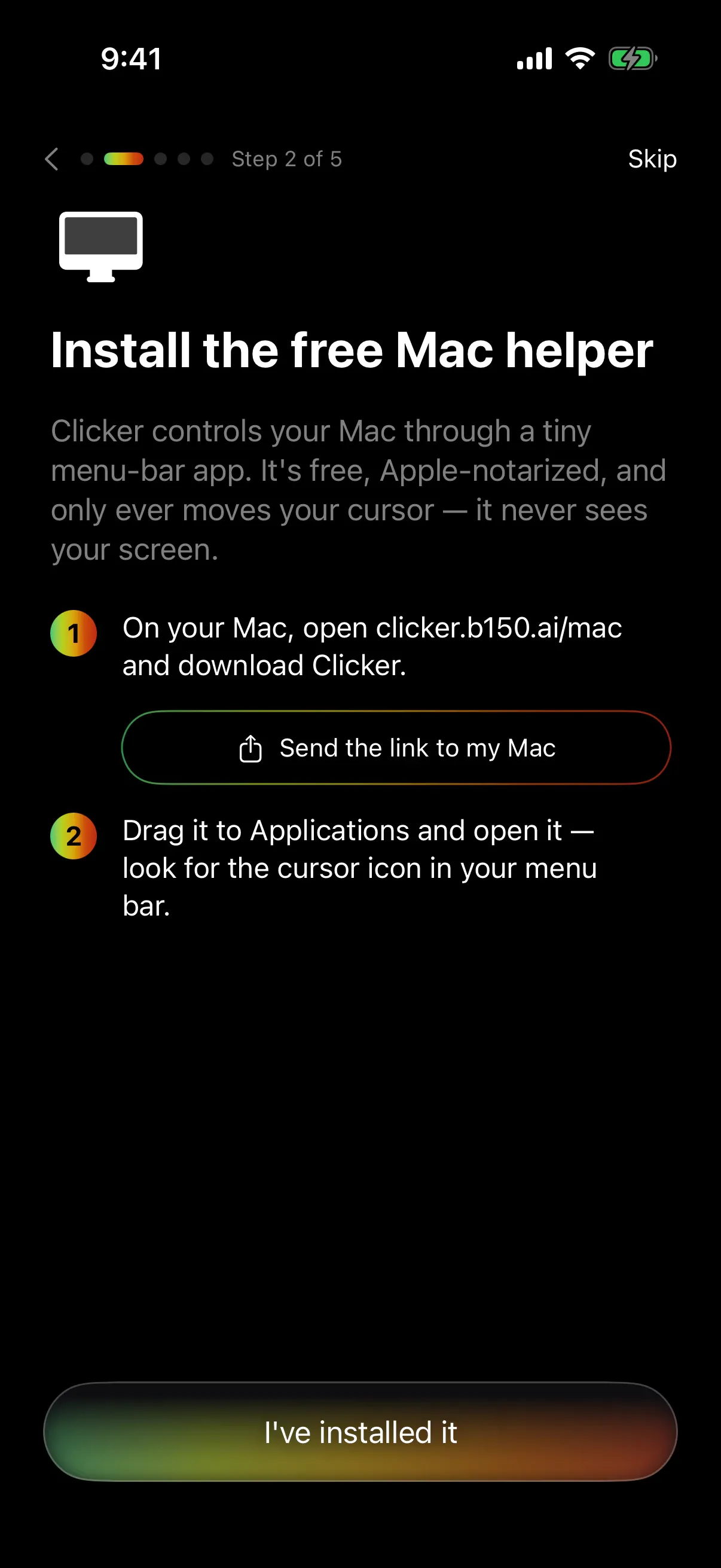
4 / 8Setup, step 2: the free Mac helper. 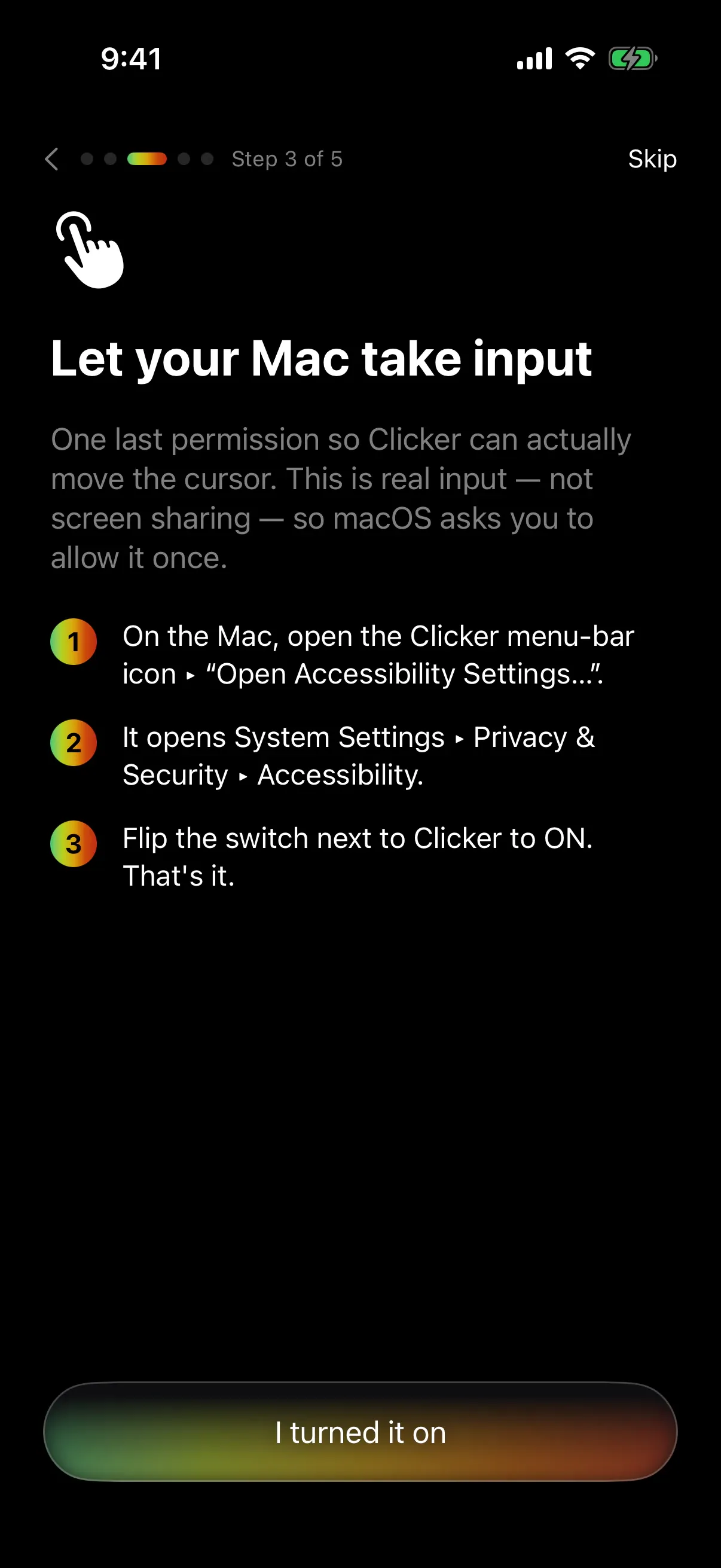
5 / 8Step 3: the one permission the helper needs, explained. 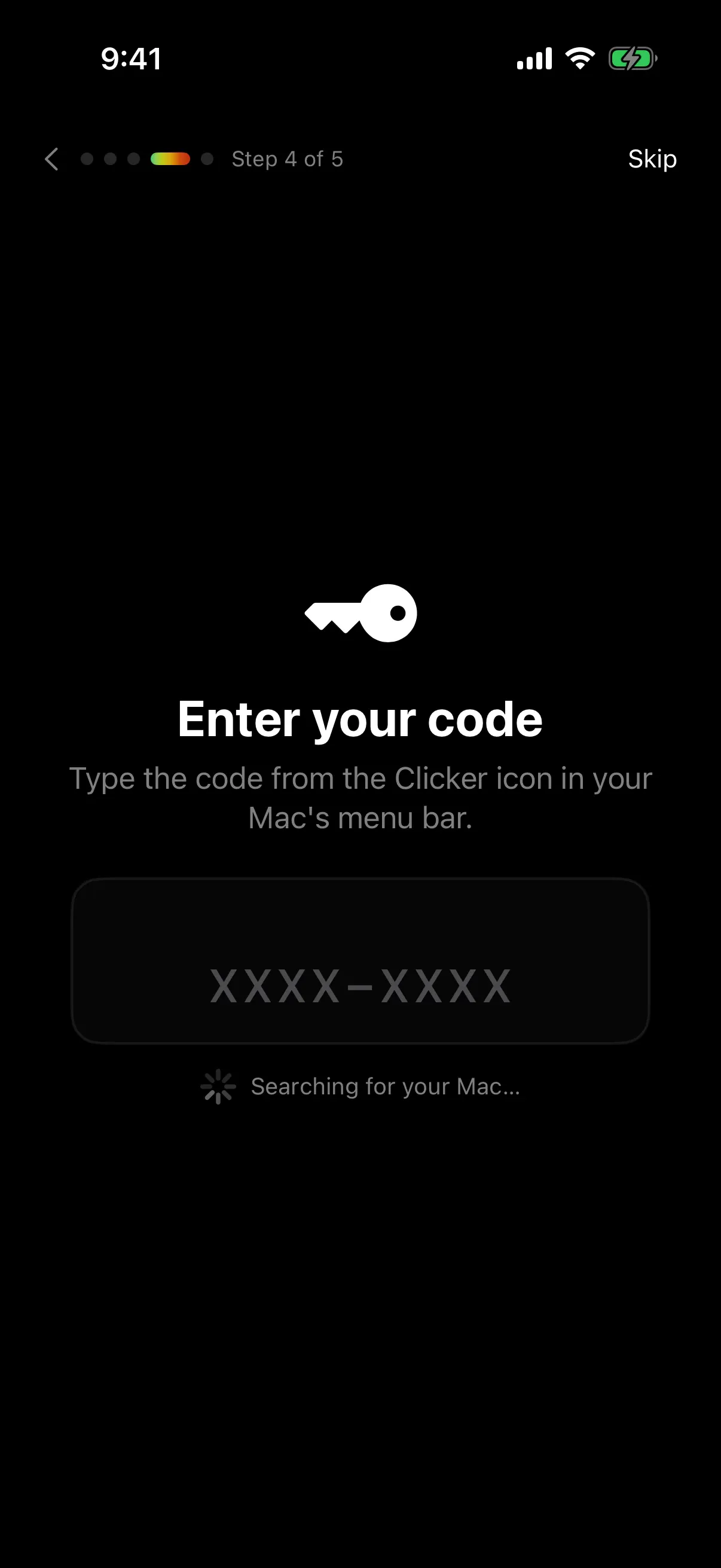
6 / 8Step 4: pairing with the code from the Mac's menu bar.
Timeline
- 2 June 2026. MouseMagic becomes Clicker.
- 5 June. The first pricing: a trial and a $4.99 unlock.
- 7–9 June. The hard paywall after setup, and TestFlight builds 13 to 23.
- 27 August. The reliability pass: honest connection state, guided troubleshooting, steadier drags and scrolls.
Where it is now
Clicker is in testing on TestFlight and isn’t on the App Store yet. The iPhone app needs iOS 17 or later, and the Mac companion, for macOS 13 or later on Apple Silicon, is a free download from the site. The price is a one-time $4.99 unlock with no subscription.
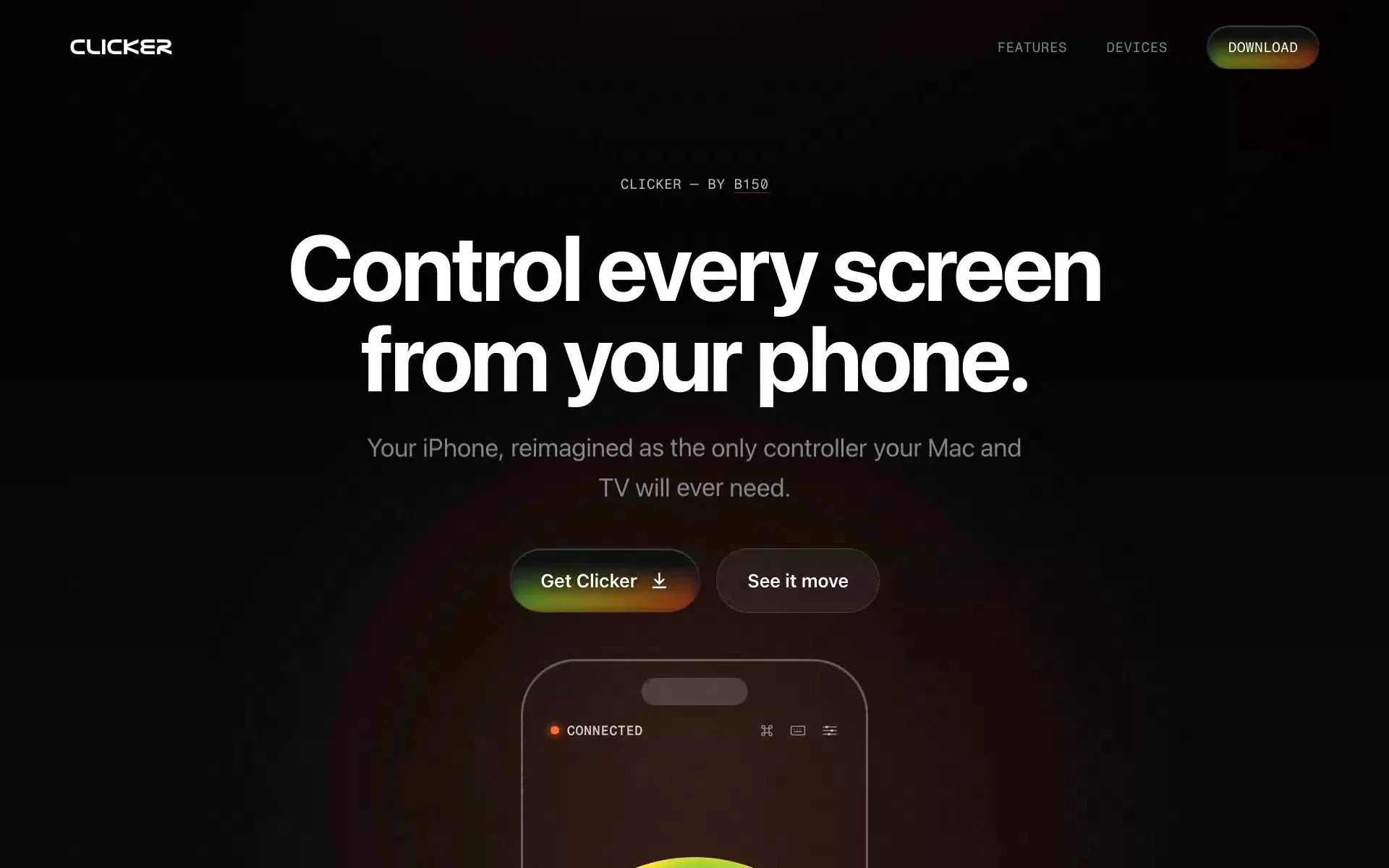
7 / 8The landing page. 8 / 8The brand: Nasalization Ext and a thermal palette on black.